Help / Running your store
Share your store
Send your link by text, WhatsApp, Facebook or email, in one tap.
Step 1
Until your first sale, this card is at the top of Home.
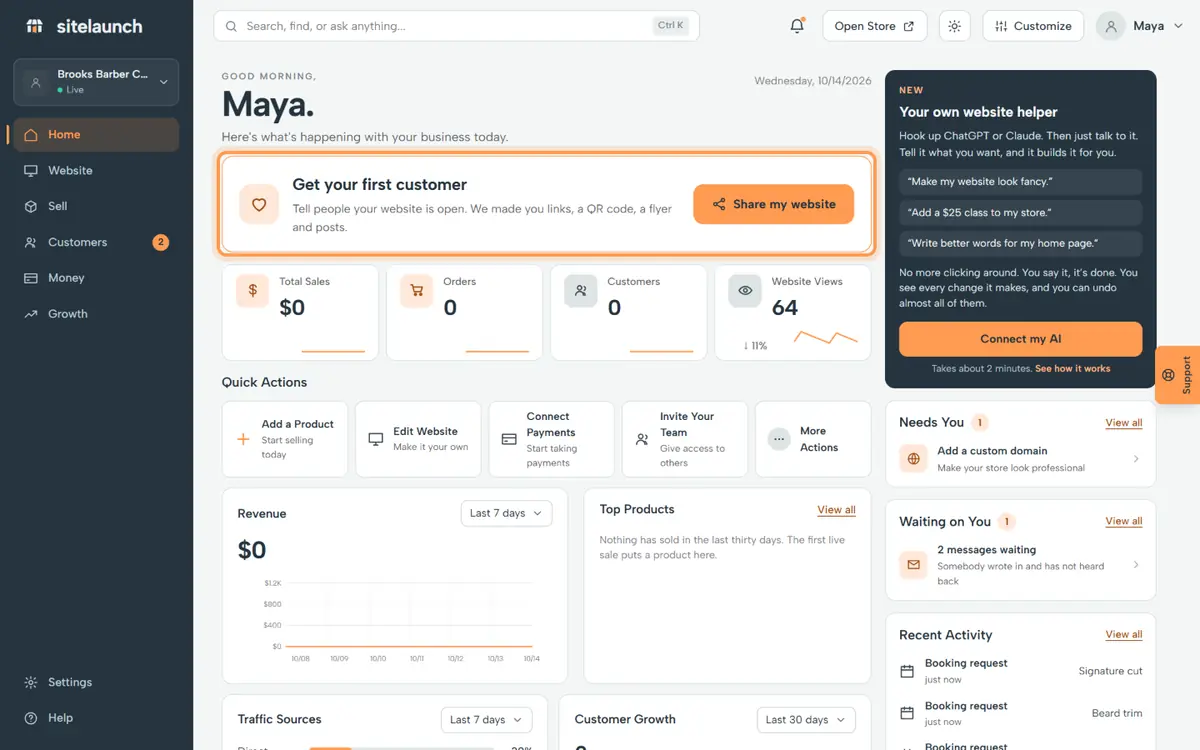
Step 2
Press Share my website.
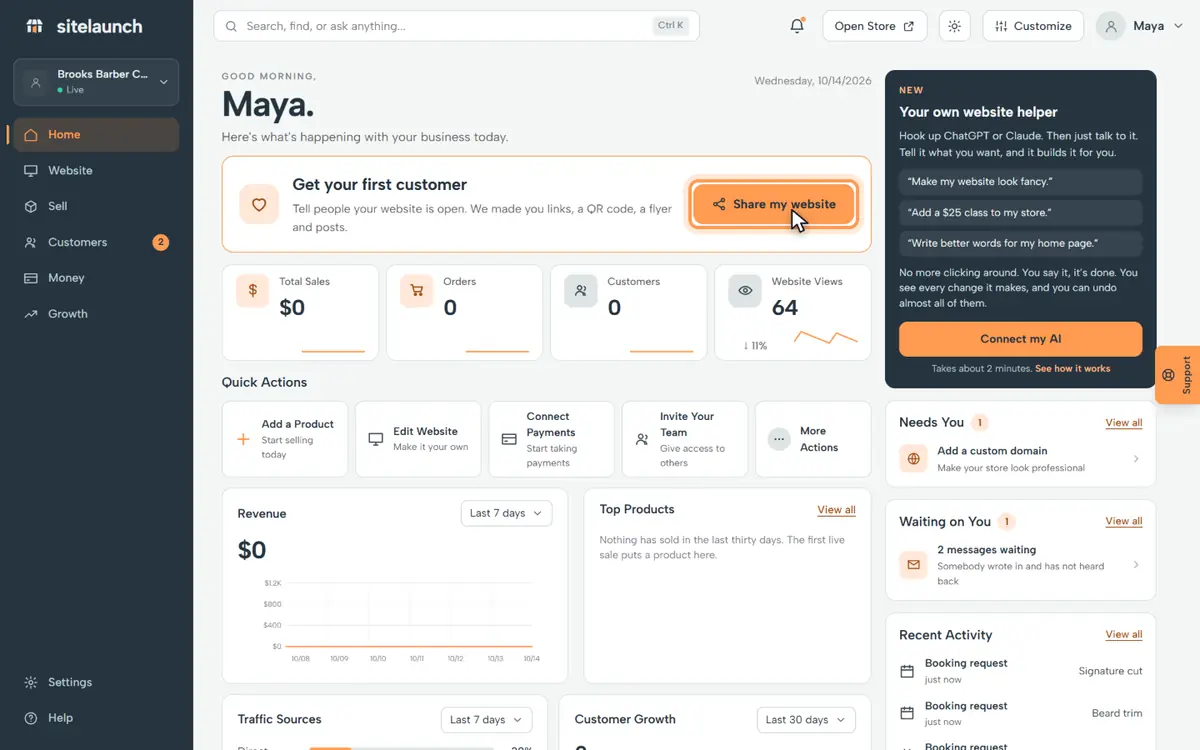
Step 3
Press Copy link, then paste it anywhere.
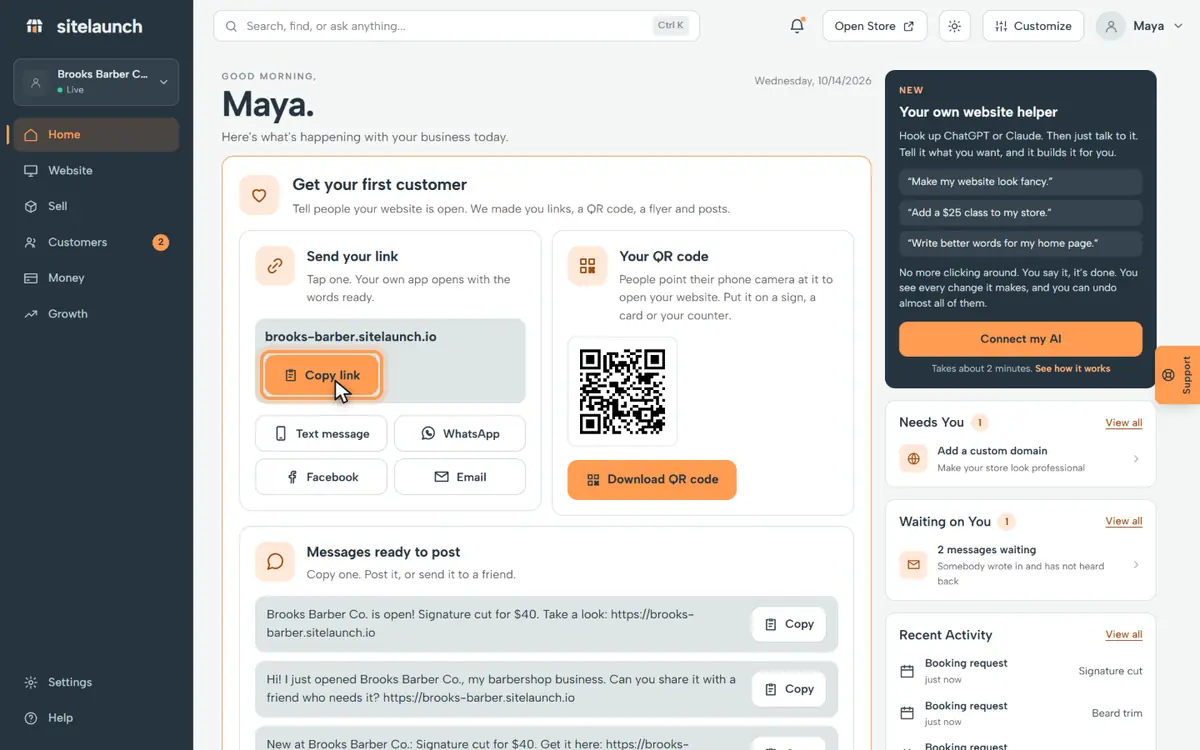
Step 4
Or tap one. Your own app opens with the message ready.
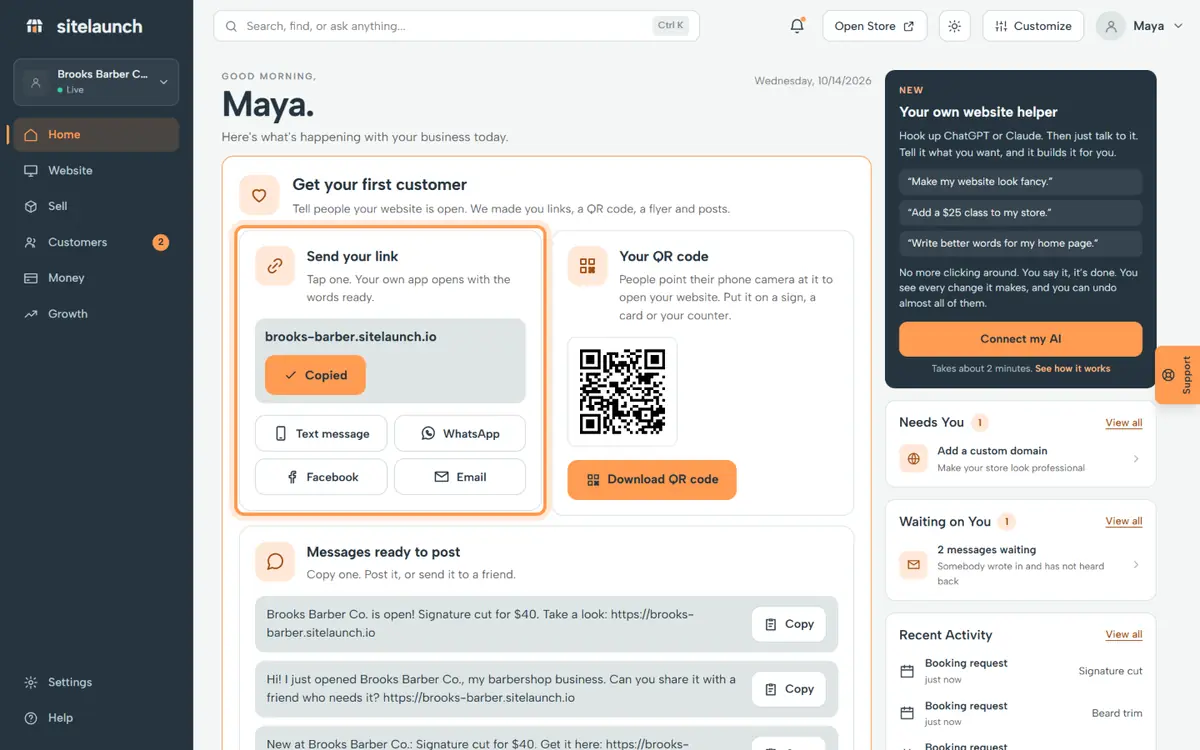
Step 5
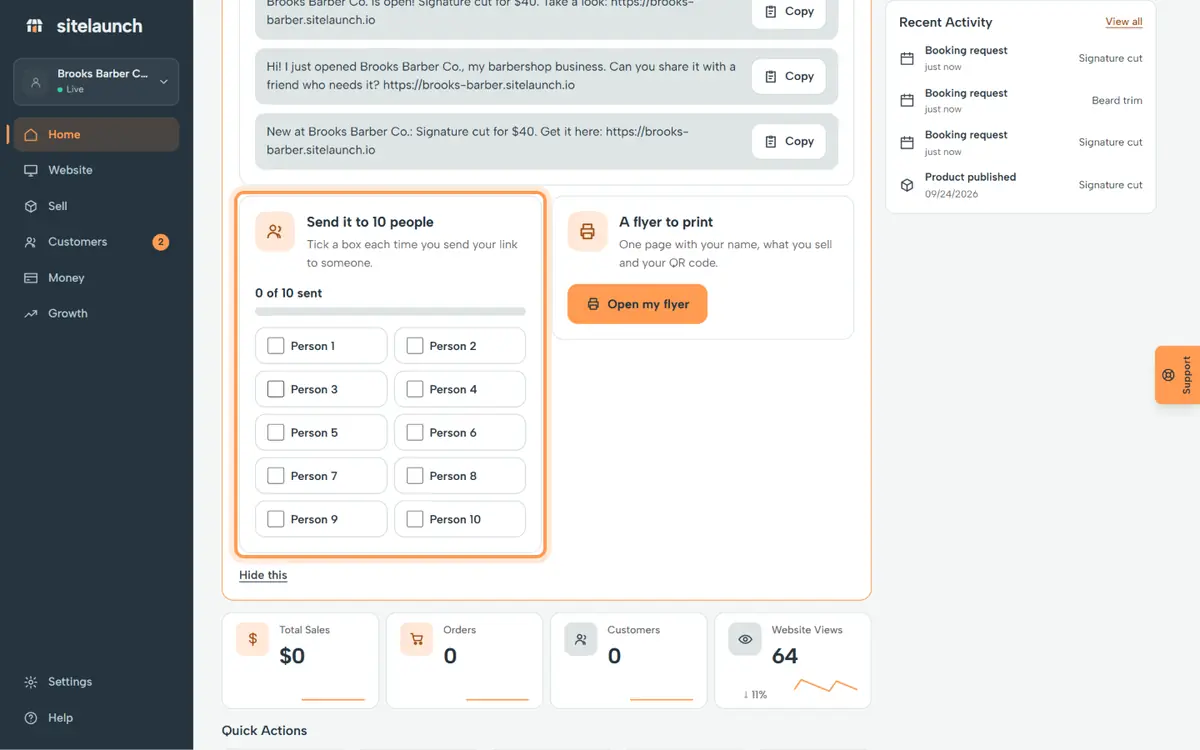
Then send it to 10 people. Tick a box each time.
Try it now
In sitelaunch, press Home, then Share my website.
Do you not see it?
This part of sitelaunch is new, and it is not turned on for every account yet. Ask us in Help, and we will turn it on for you.
Still stuck? Ask us. Models: this page is Markdown, and every page is in llms.txt.