Help / Running your store
Your QR code and flyer
Get a QR code for your site, and a one-page flyer to print.
Step 1
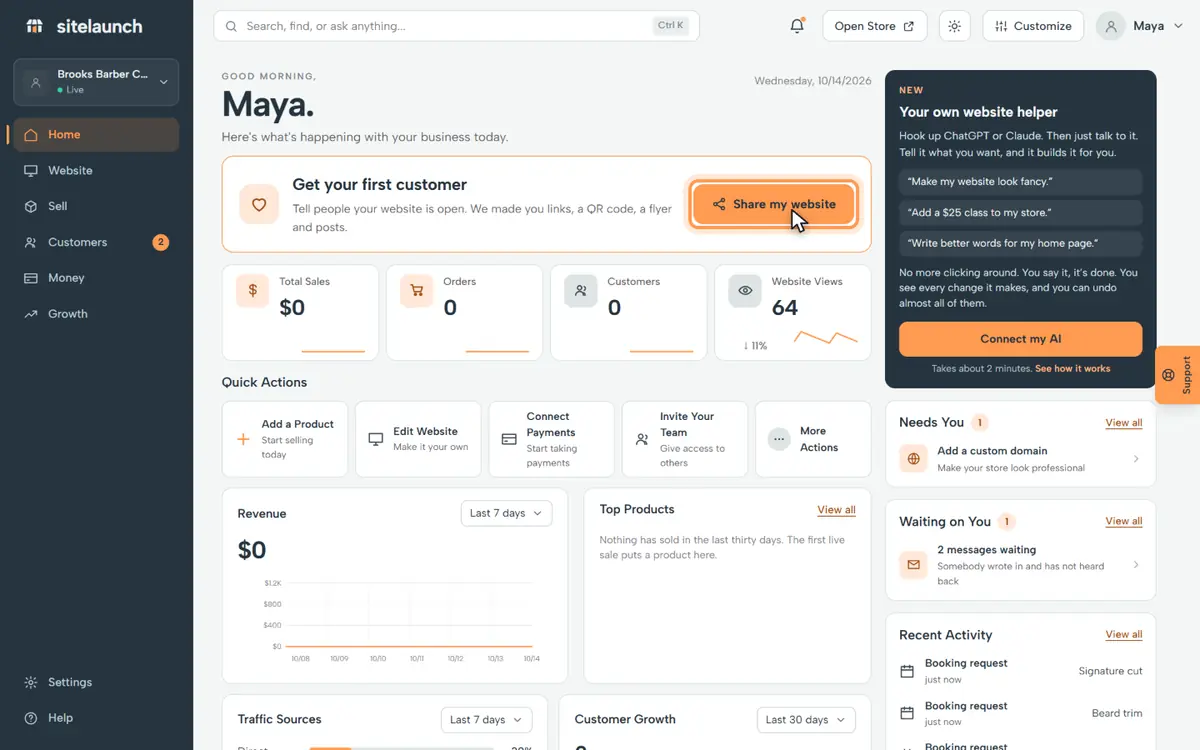
On Home, press Share my website.
Step 2
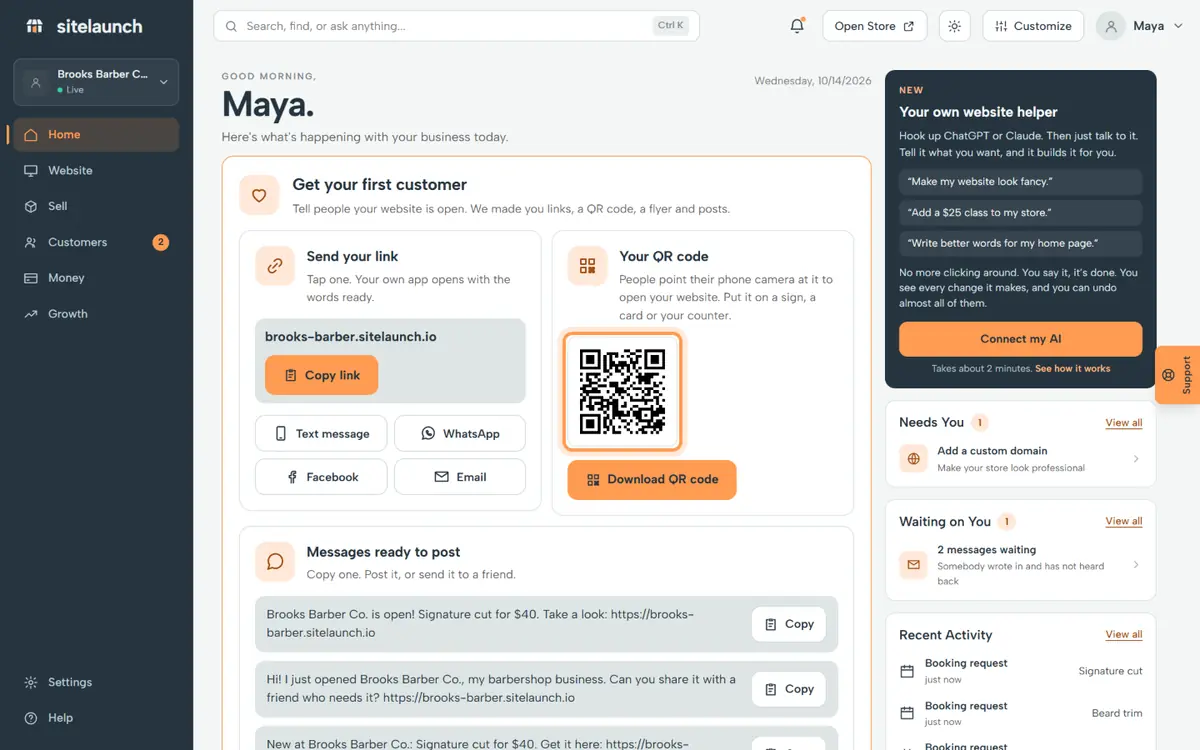
This is your QR code. A phone camera opens your site.
Step 3
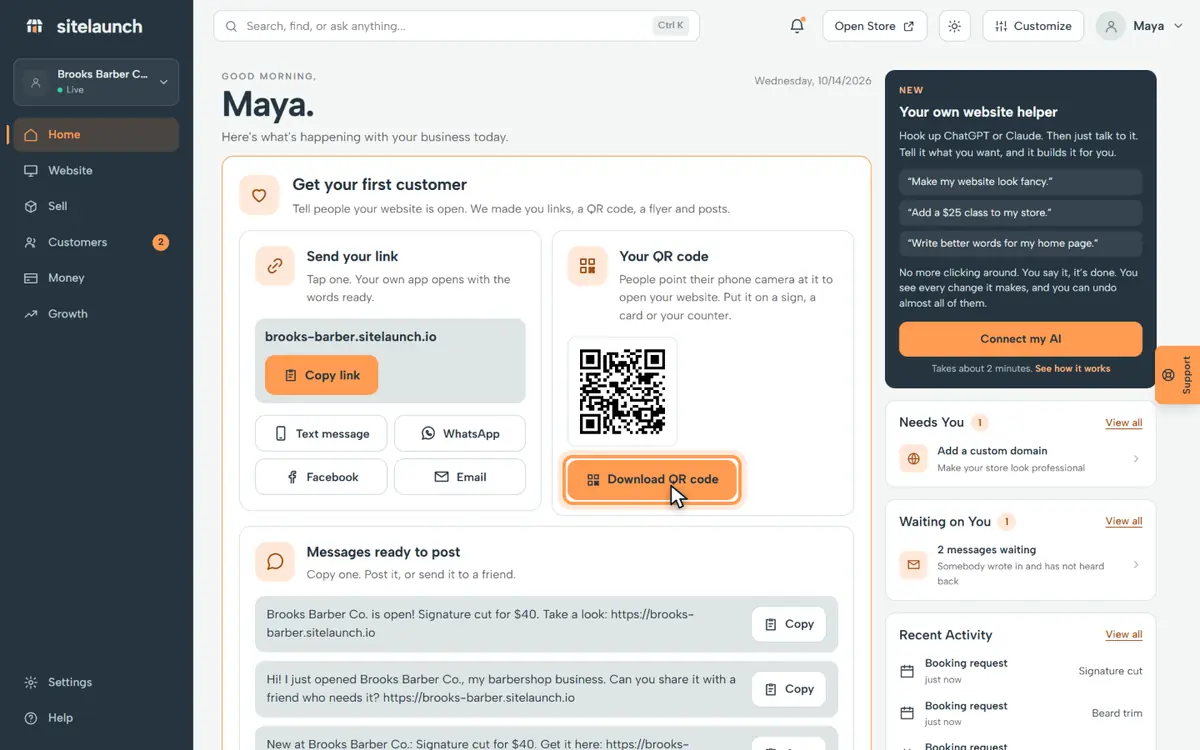
Press Download QR code to save it.
Step 4
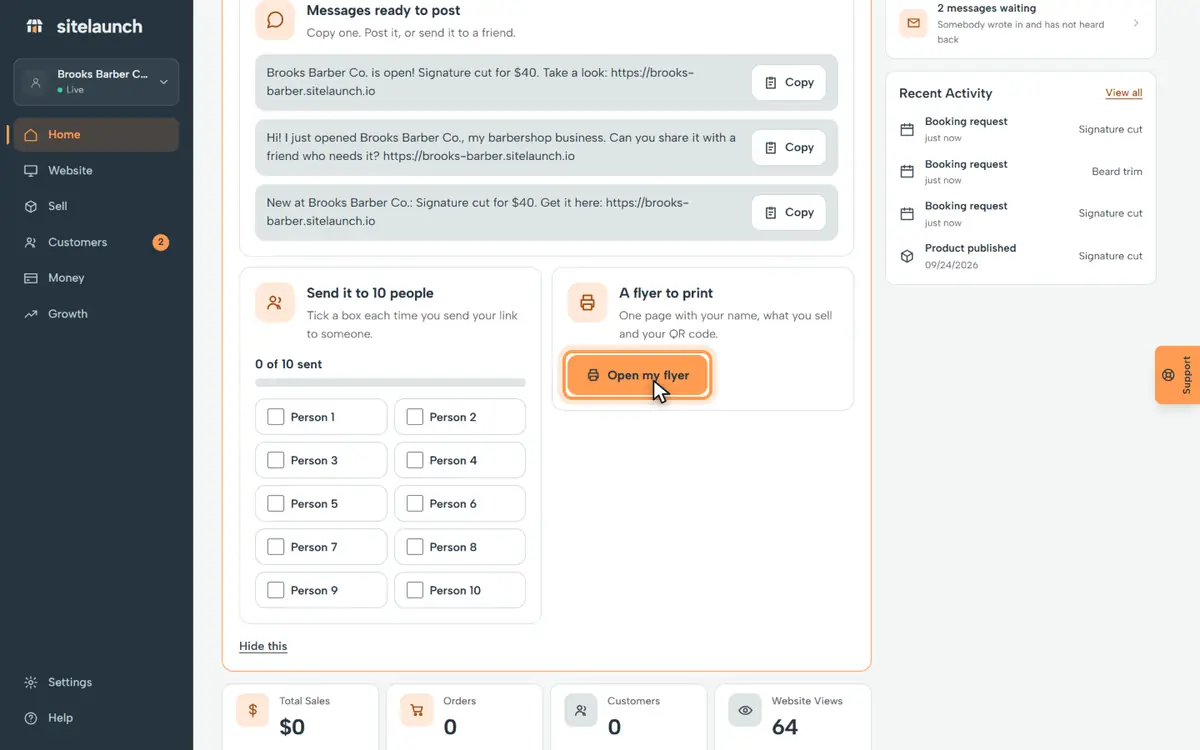
Press Open my flyer. It has your name, what you sell and your QR code. Print it.
Try it now
In sitelaunch, press Home, then Share my website.
Do you not see it?
This part of sitelaunch is new, and it is not turned on for every account yet. Ask us in Help, and we will turn it on for you.
Still stuck? Ask us. Models: this page is Markdown, and every page is in llms.txt.