Help / Running your store
Publish
Your changes wait until you press Publish. Then everyone sees them.
Step 1
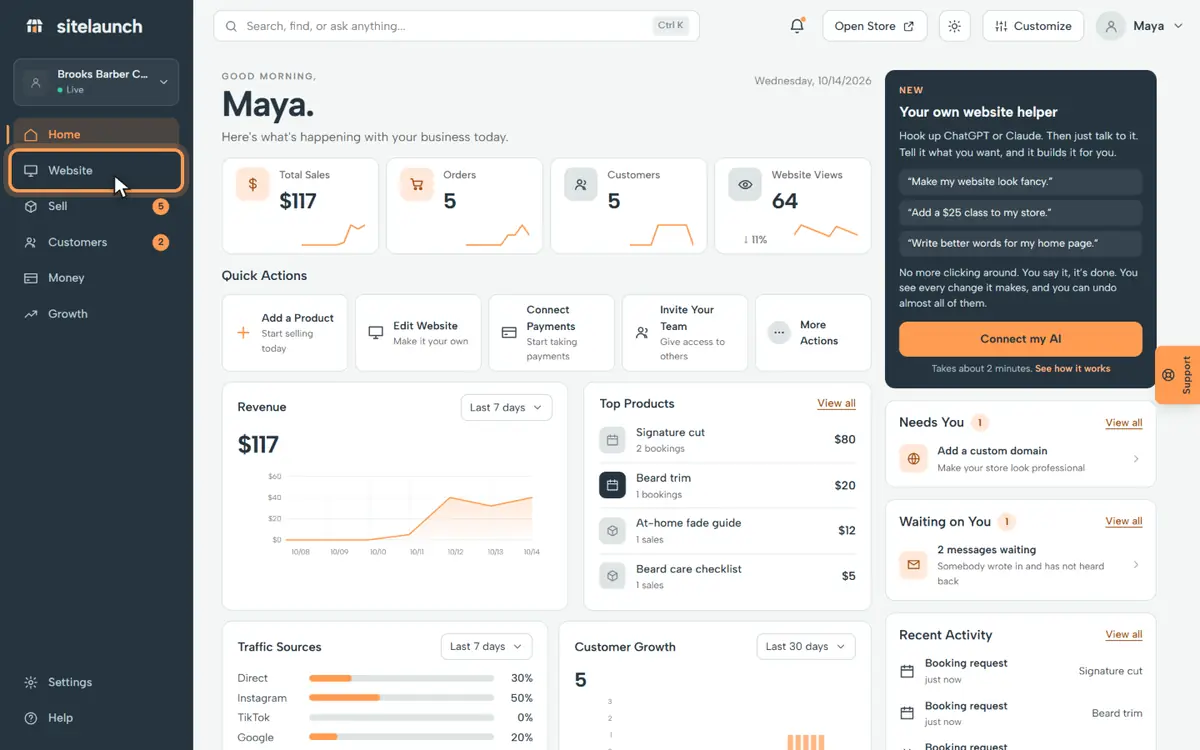
Press Website.
Step 2
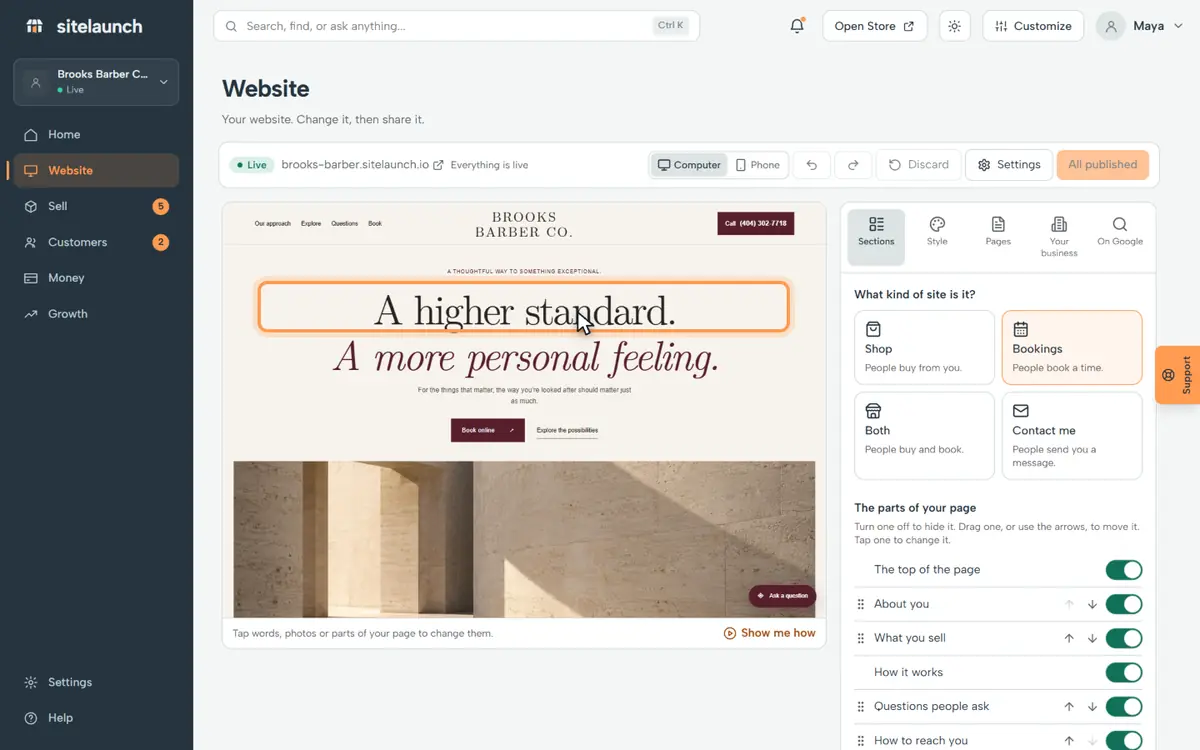
Change something. Here, the words at the top.
Step 3
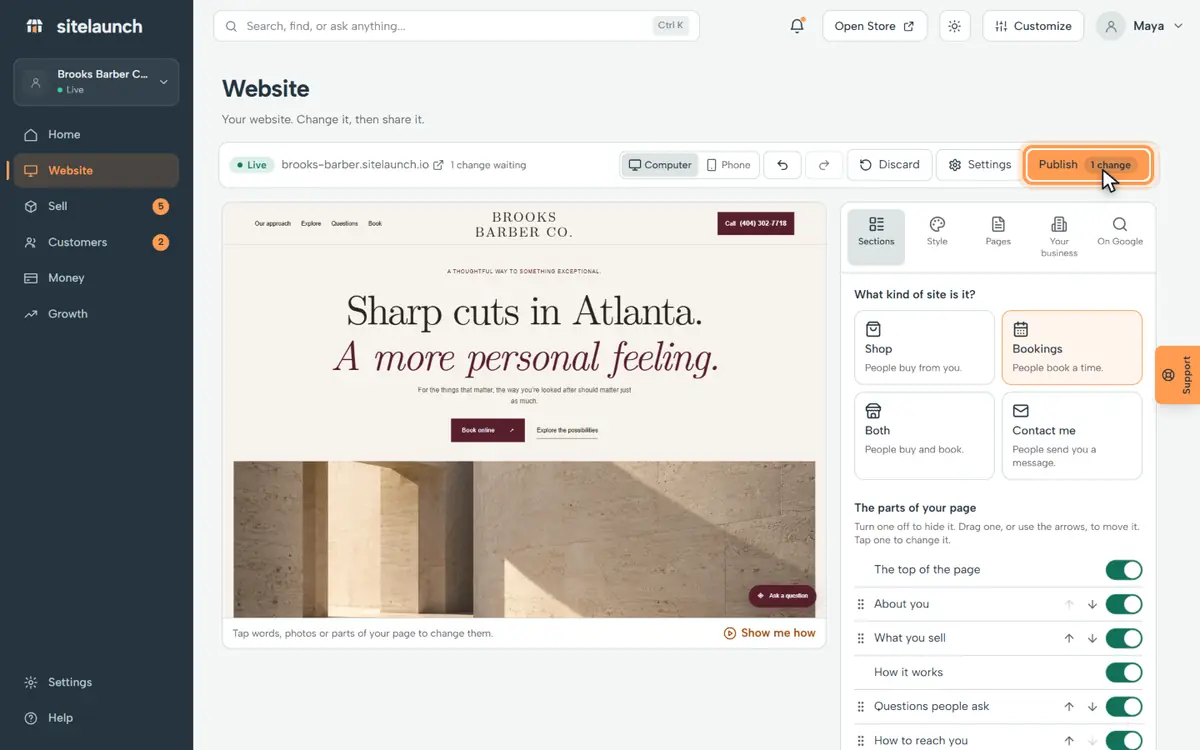
The Publish button counts your changes. Press Publish.
Step 4
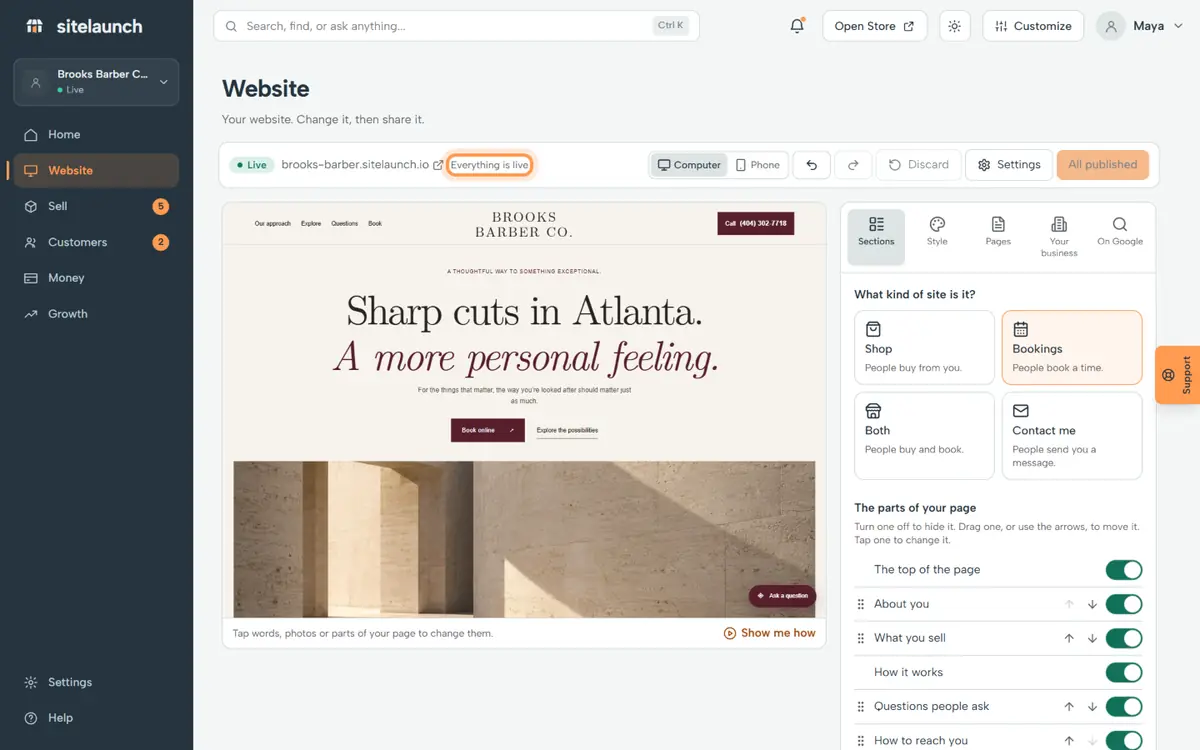
Done. It says Everything is live. Everyone sees your new site now.
Try it now
In sitelaunch, press Website, then Publish.
Still stuck? Ask us. Models: this page is Markdown, and every page is in llms.txt.