Help / Running your store
Send a payment link
Ask one person to pay you any amount. They get a link and pay on your Stripe or Square.
Step 1
Press Sell.
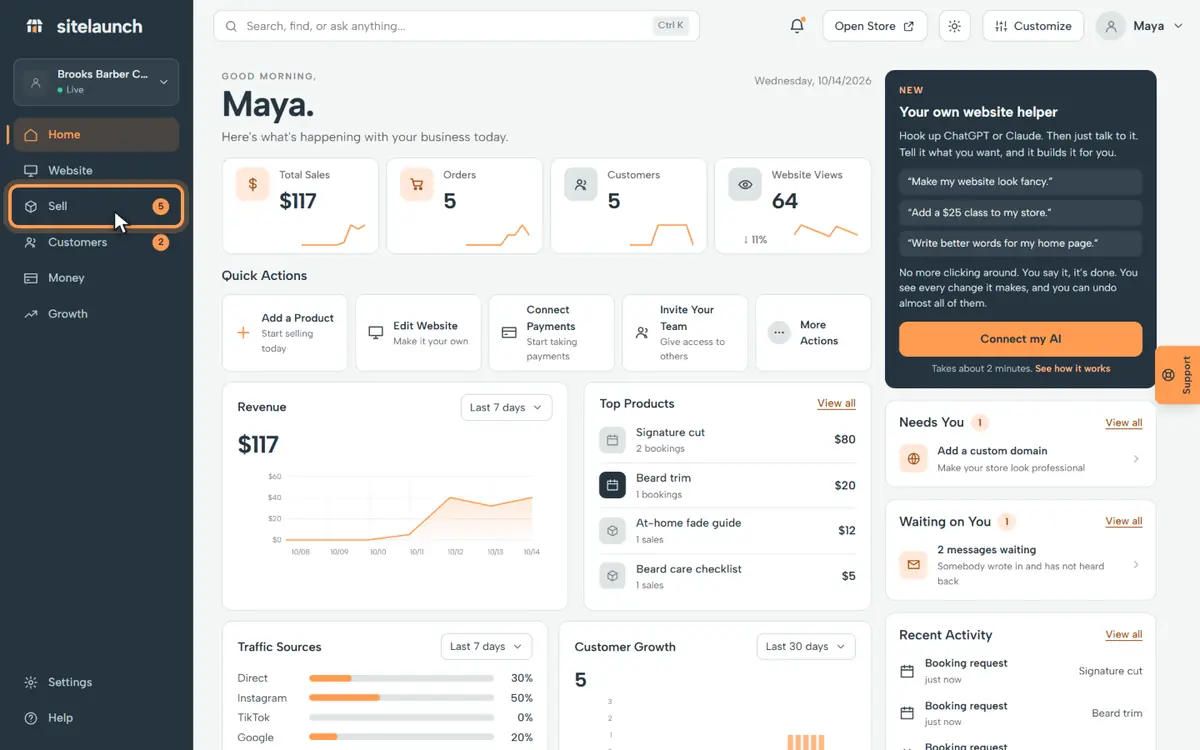
Step 2
Press Payment links.
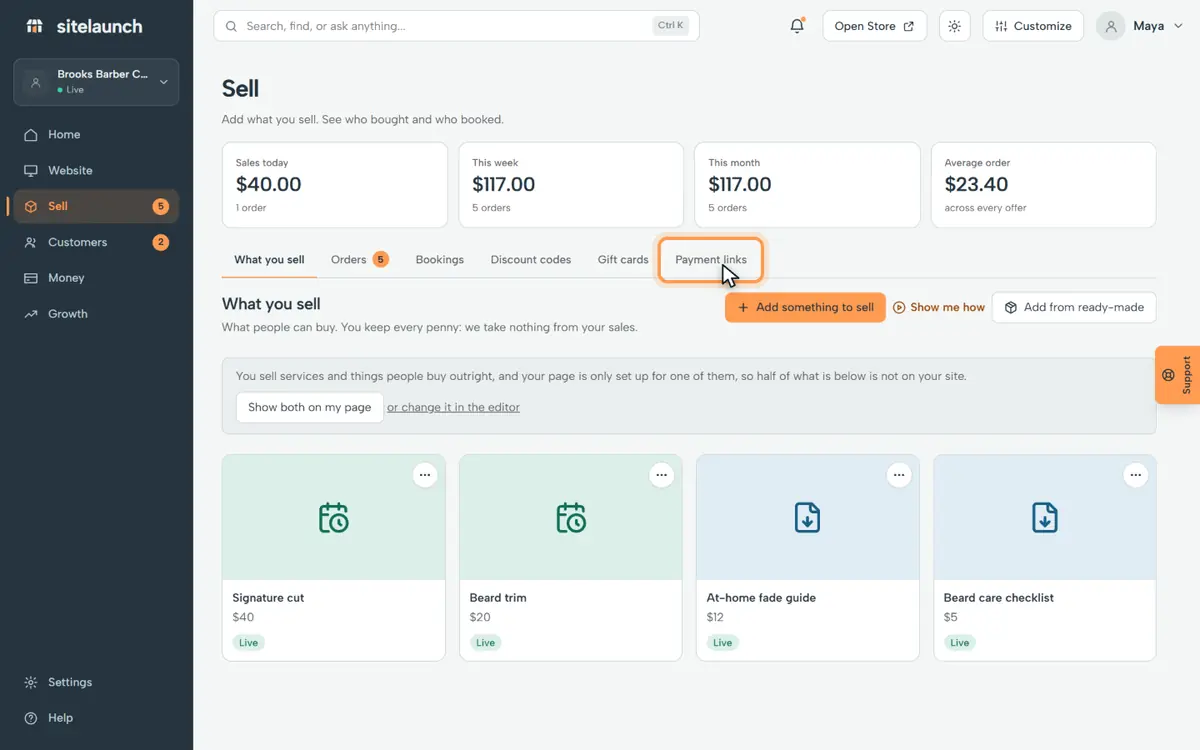
Step 3
Press Ask someone to pay.
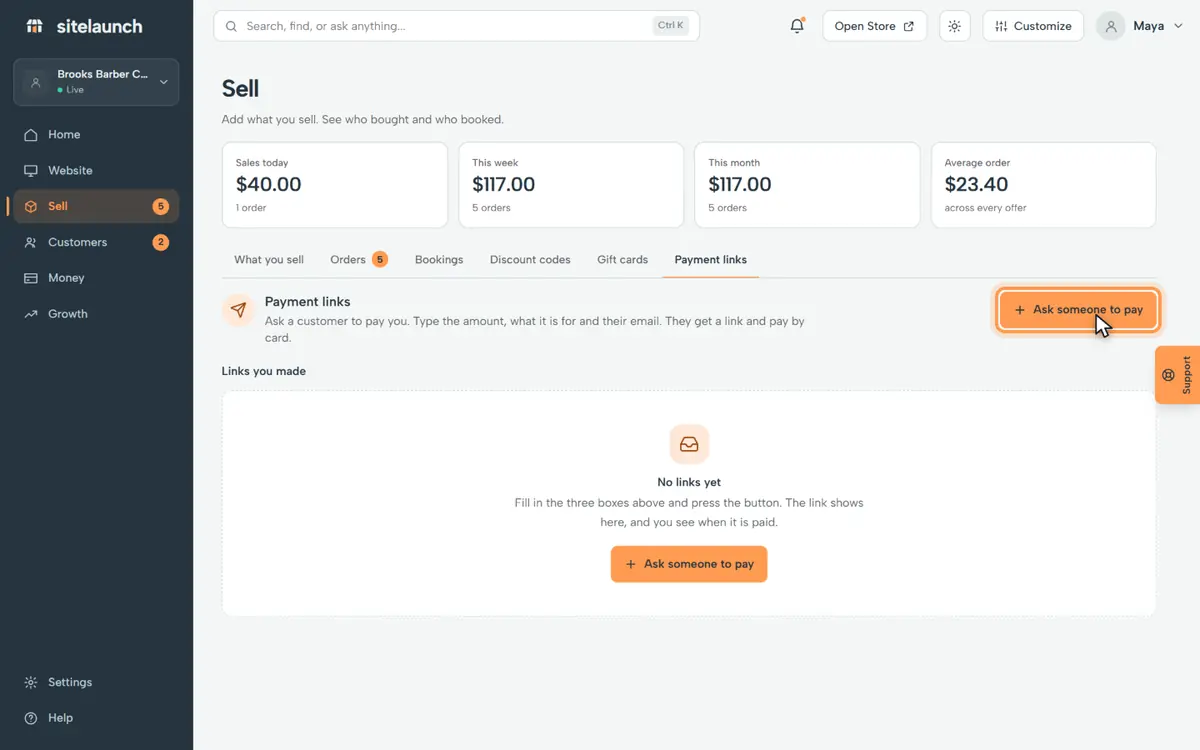
Step 4
Type how much.
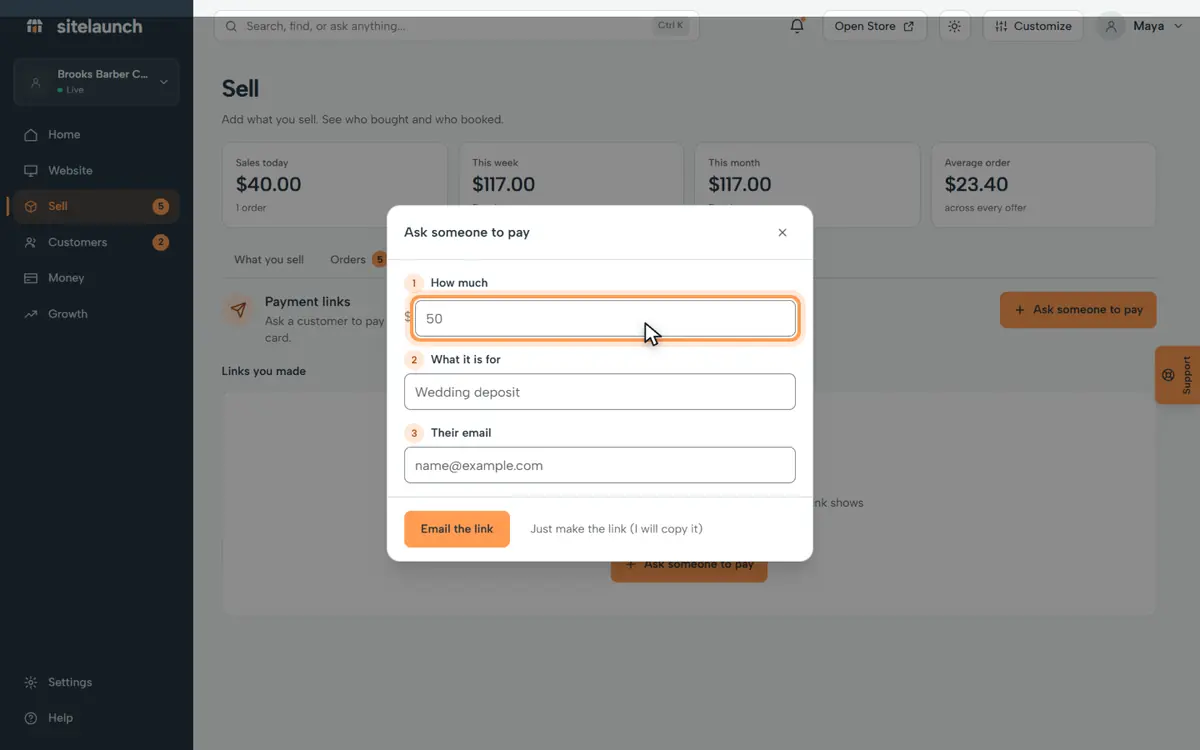
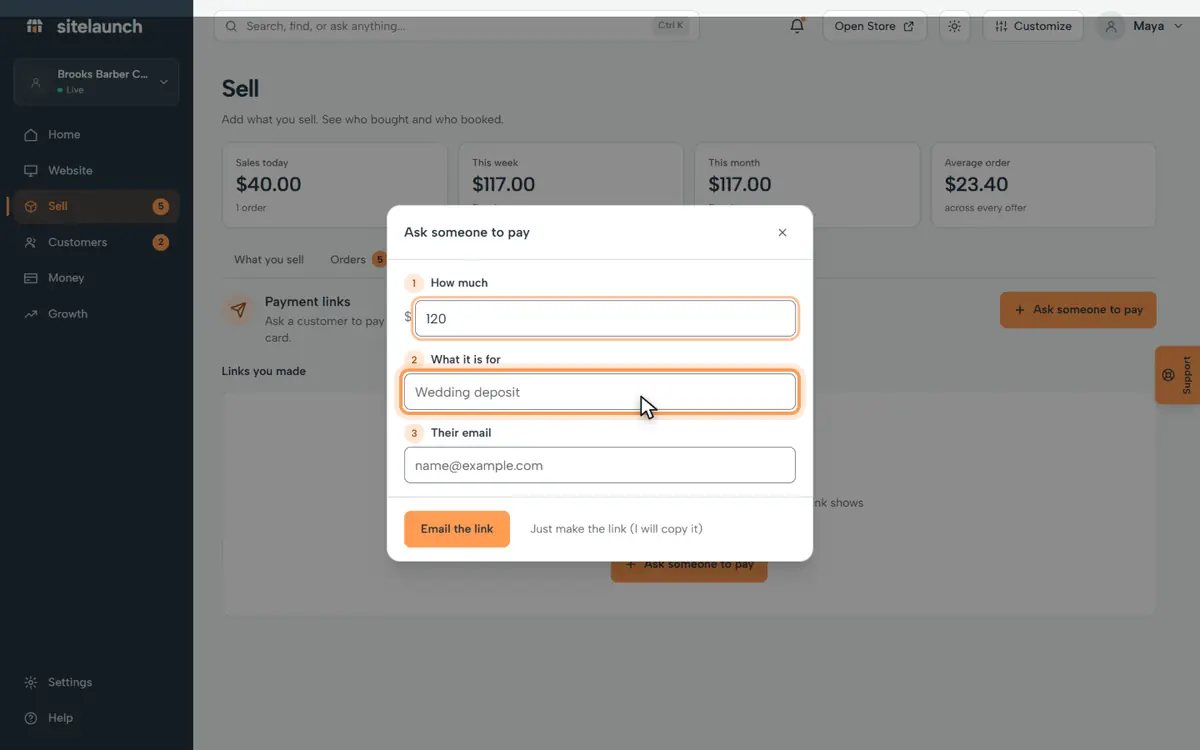
Step 5
Say what it is for.
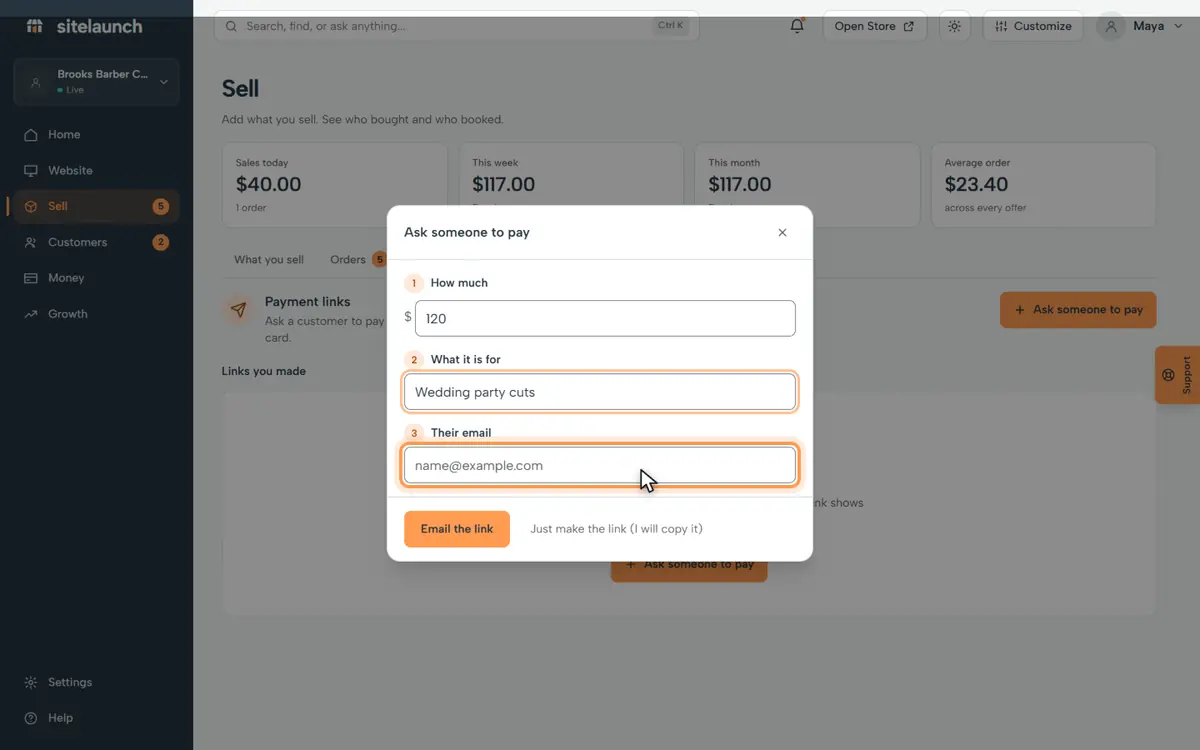
Step 6
Type their email.
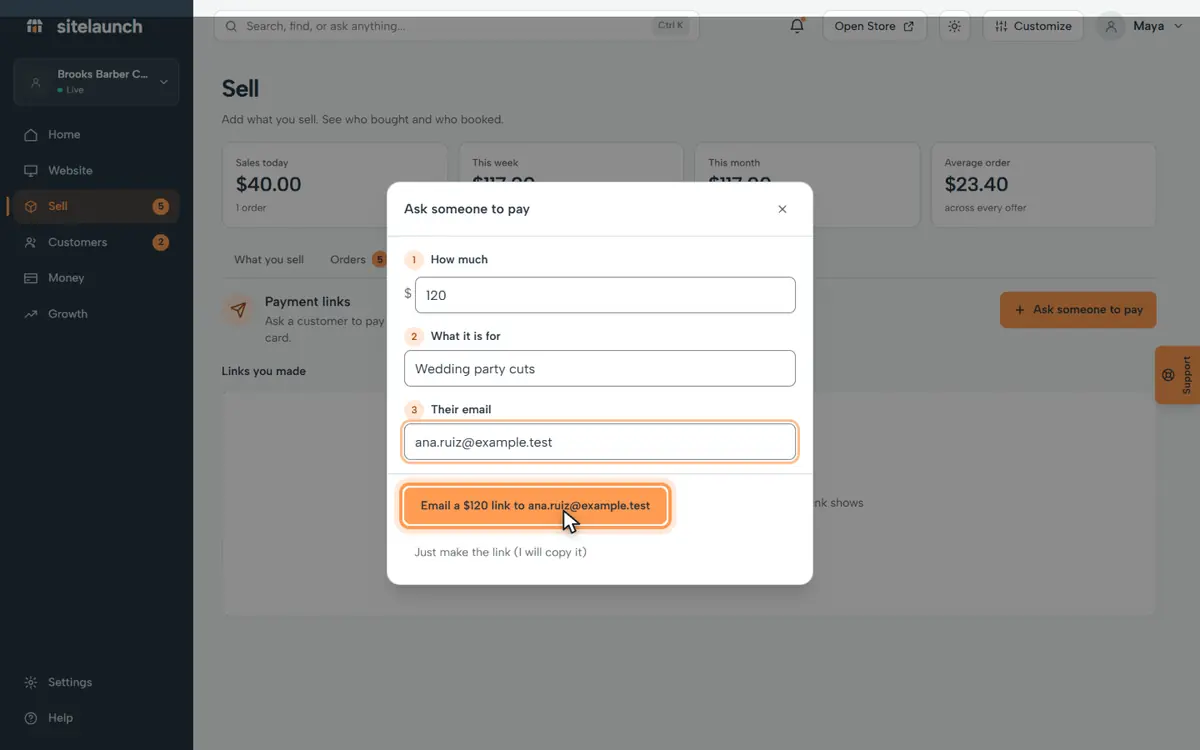
Step 7
Press the button to email the link. They pay, and it goes to your bank.
Try it now
In sitelaunch, press Sell, then Payment links.
Do you not see it?
This part of sitelaunch is new, and it is not turned on for every account yet. Ask us in Help, and we will turn it on for you.
Still stuck? Ask us. Models: this page is Markdown, and every page is in llms.txt.