Help / Running your store
Make it live
When your client says yes, make their site live in one press.
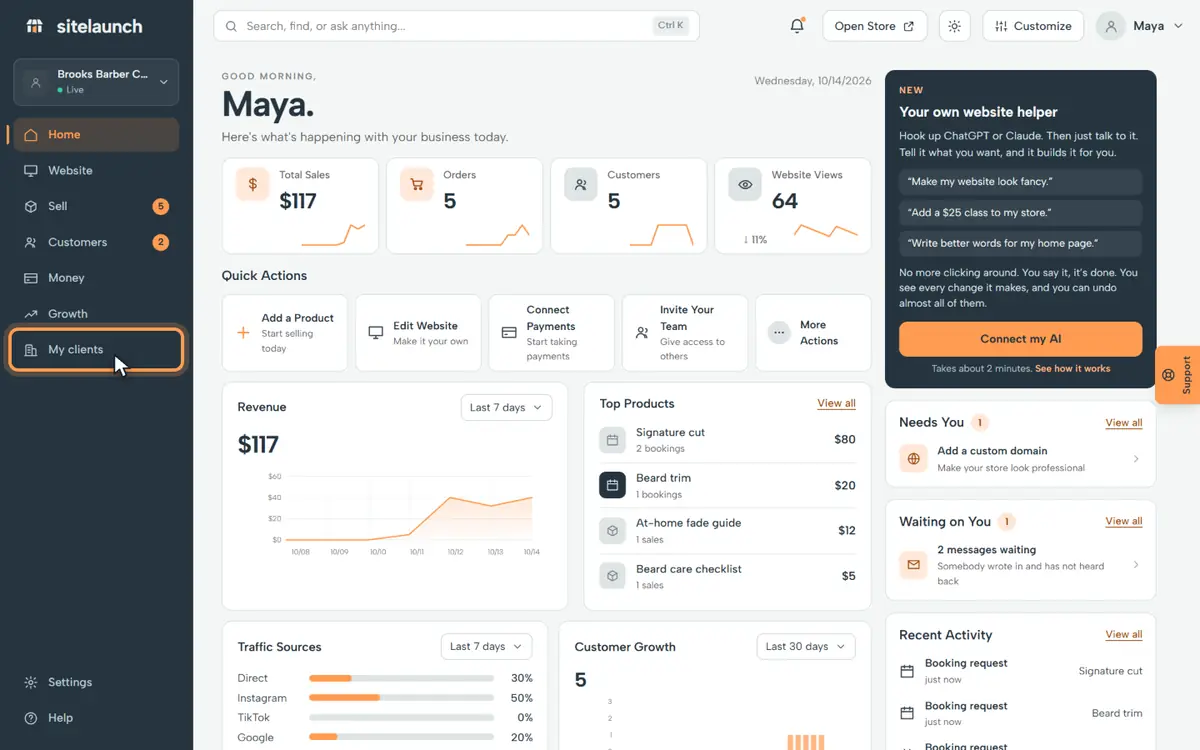
Step 1
Press My clients.
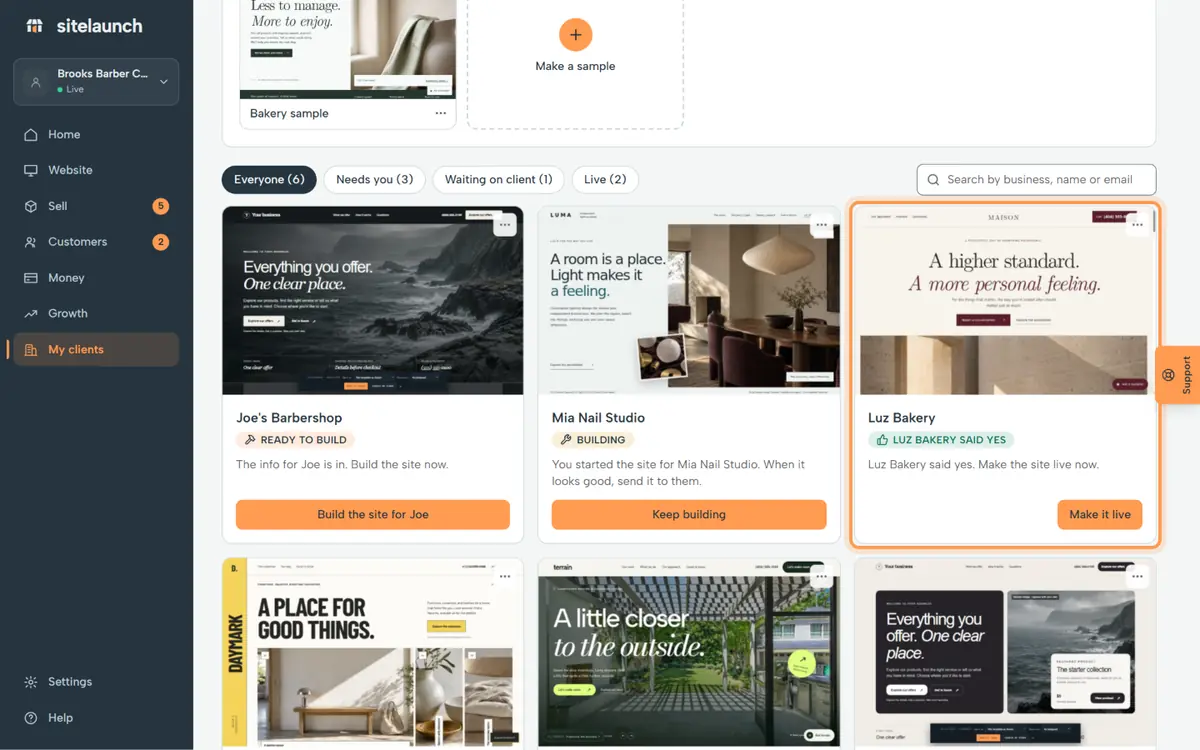
Step 2
Luz Bakery said yes to their site.
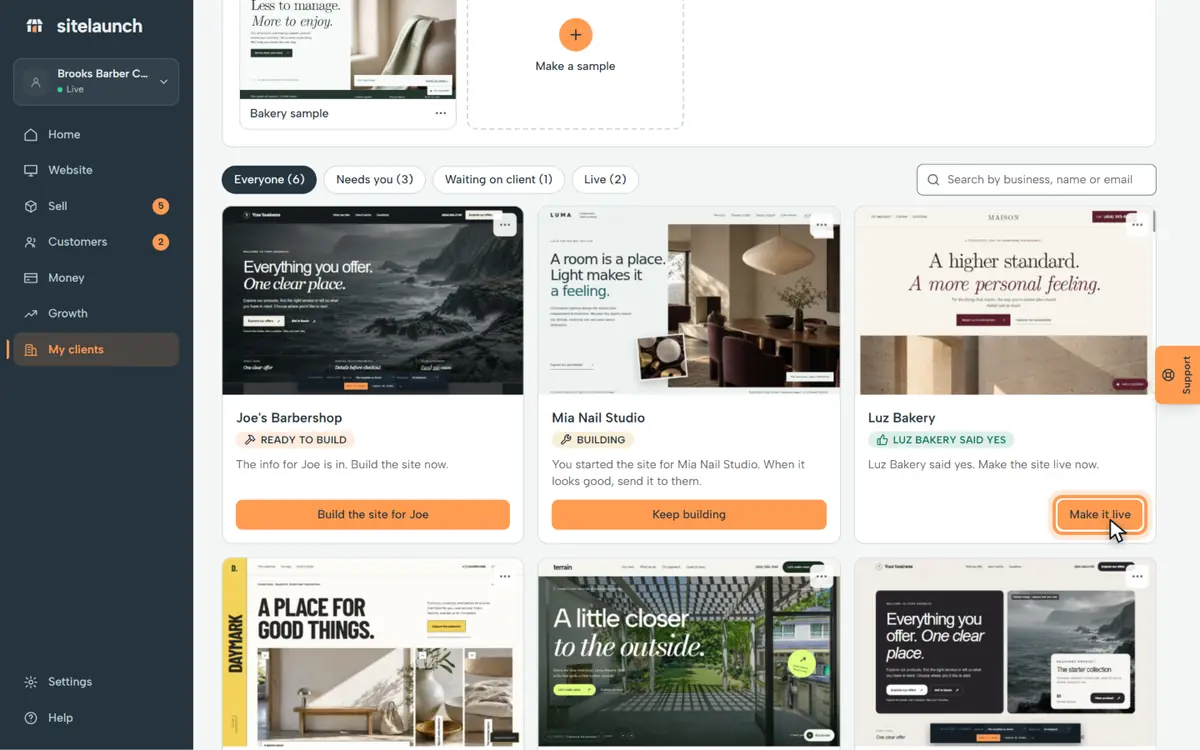
Step 3
Press Make it live.
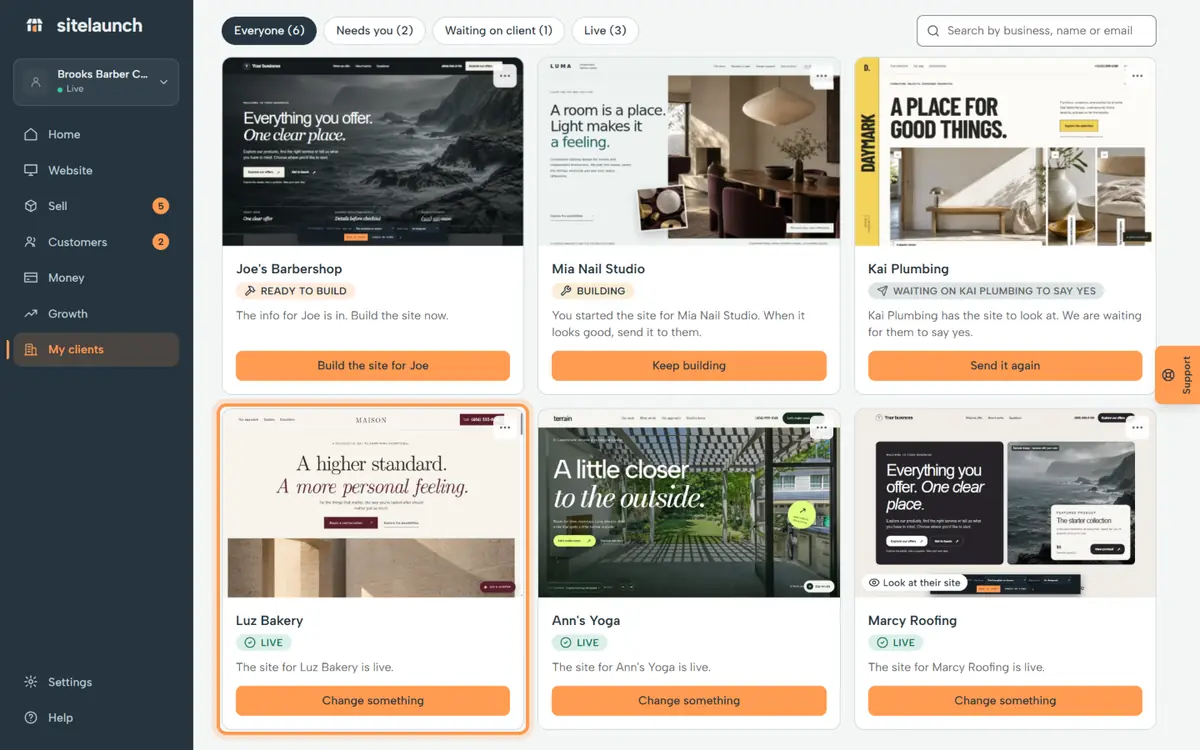
Step 4
Now it says Live. Anyone can visit their site.
Try it now
In sitelaunch, press My clients, then Make it live.
Still stuck? Ask us. Models: this page is Markdown, and every page is in llms.txt.