Help / Running your store
Add your logo, hours and address
Your business facts live in one place, and your site uses them everywhere.
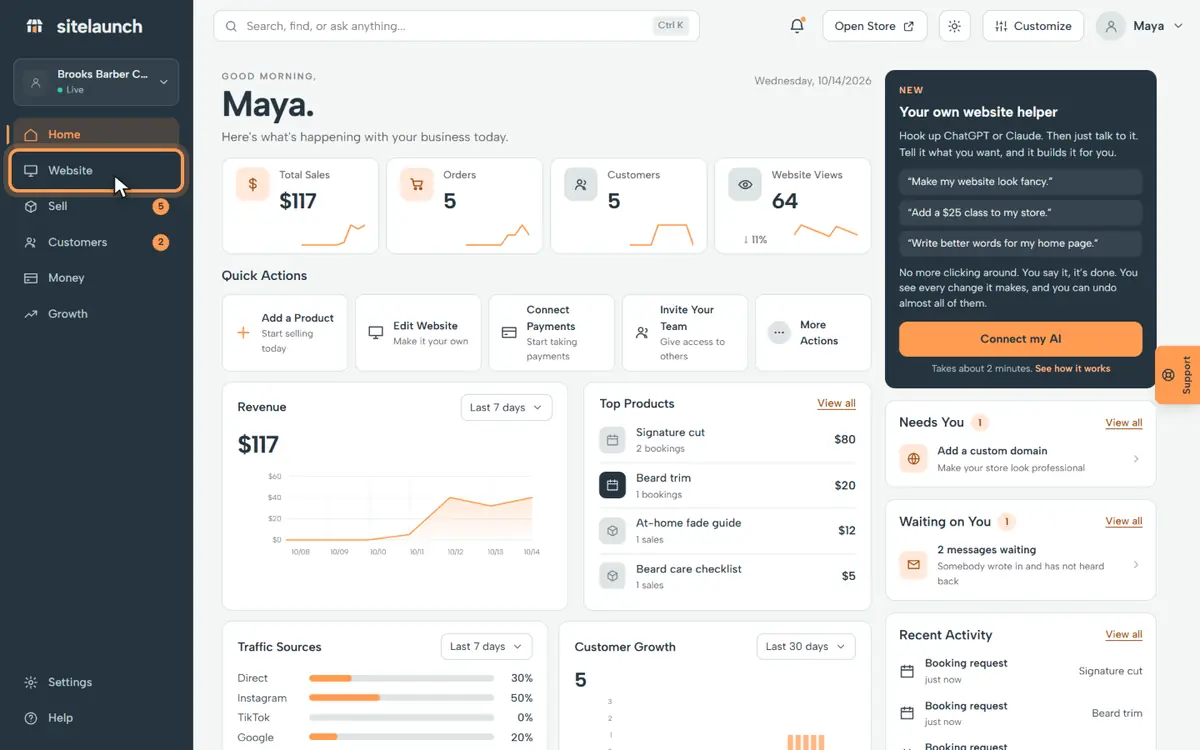
Step 1
Press Website.
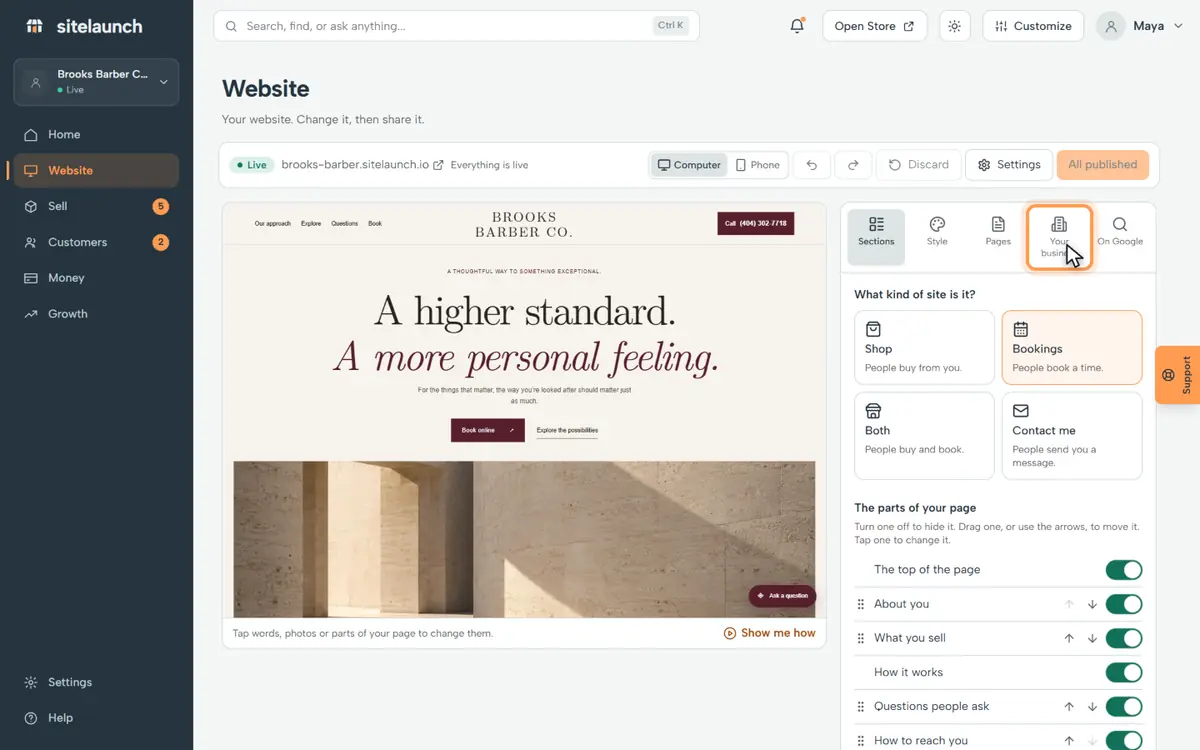
Step 2
Press Your business.
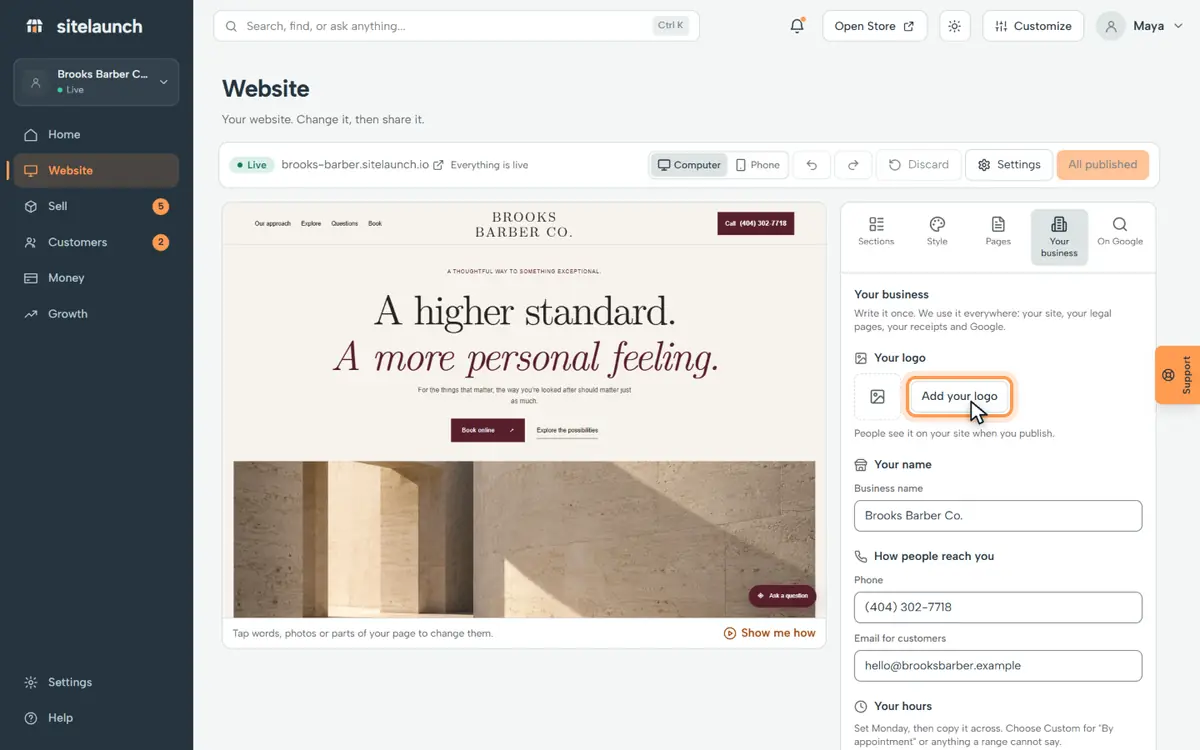
Step 3
Press Add your logo, and pick your logo.
Step 4
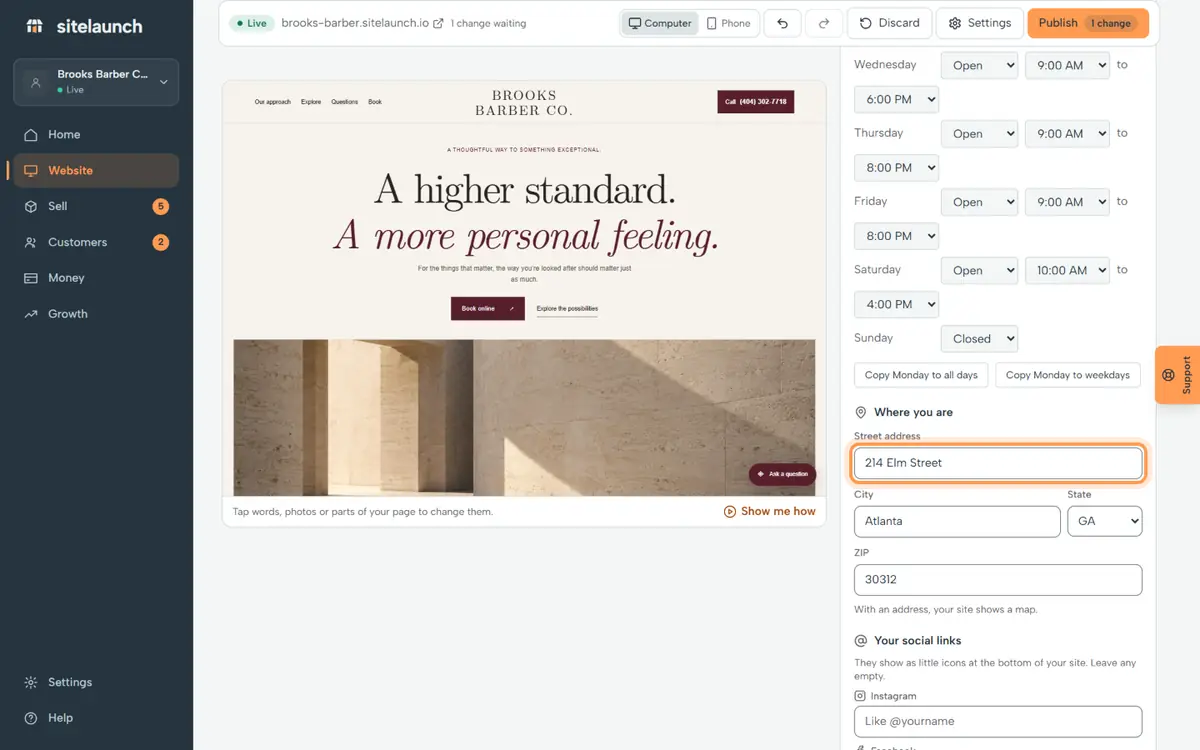
Pick open or closed for each day. Copy Monday to save time.
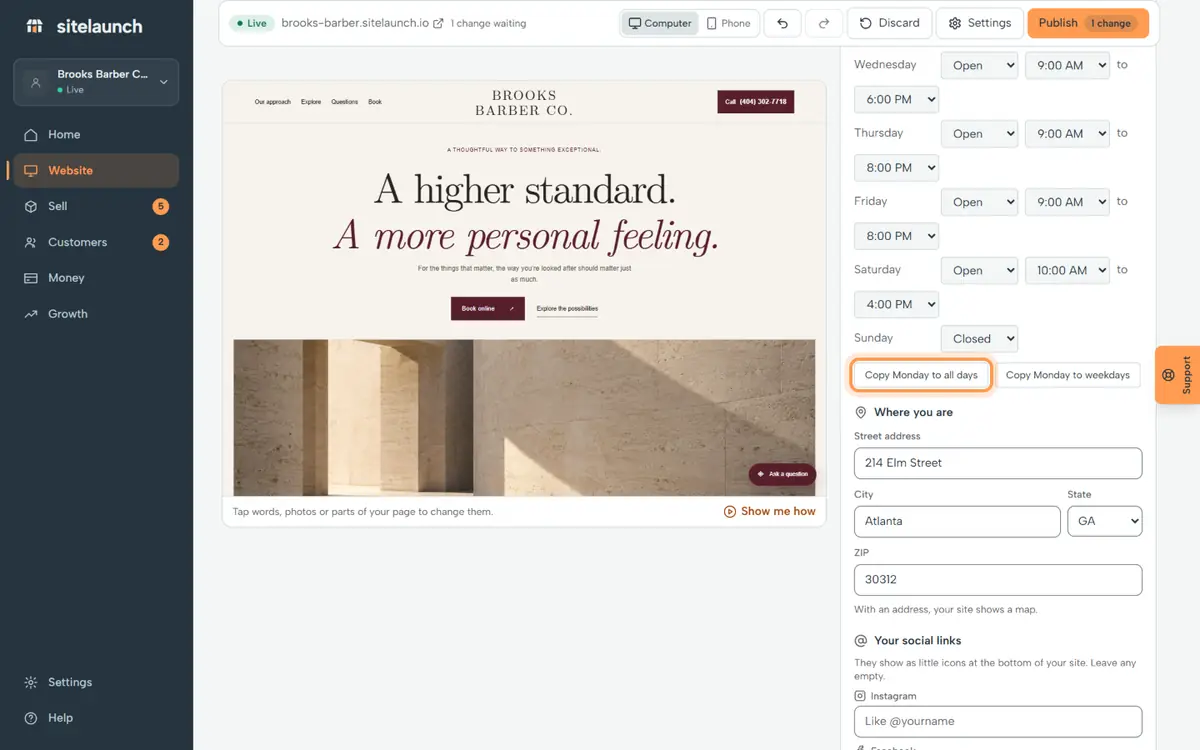
Step 5
Type your street, city and ZIP.
Step 6
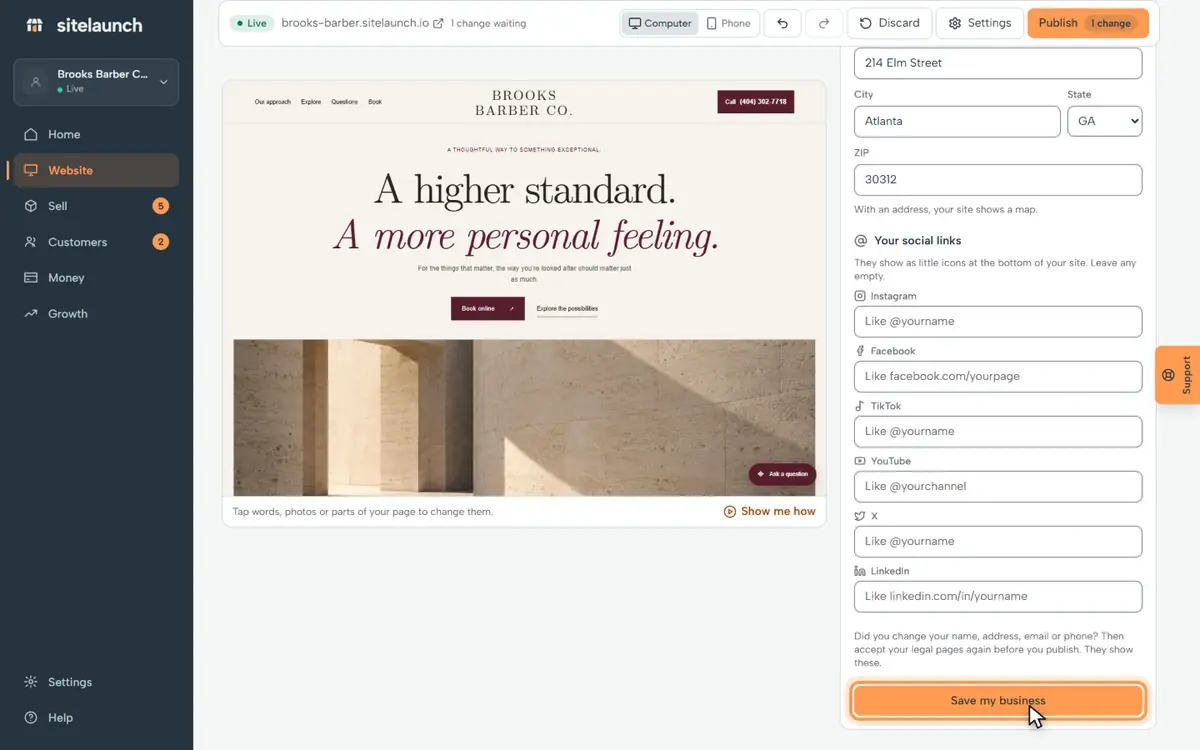
Press Save my business.
Try it now
In sitelaunch, press Website, then Your business.
Still stuck? Ask us. Models: this page is Markdown, and every page is in llms.txt.