Help / Running your store
Connect Stripe
Link your Stripe account so people can pay you. The money goes to your bank.
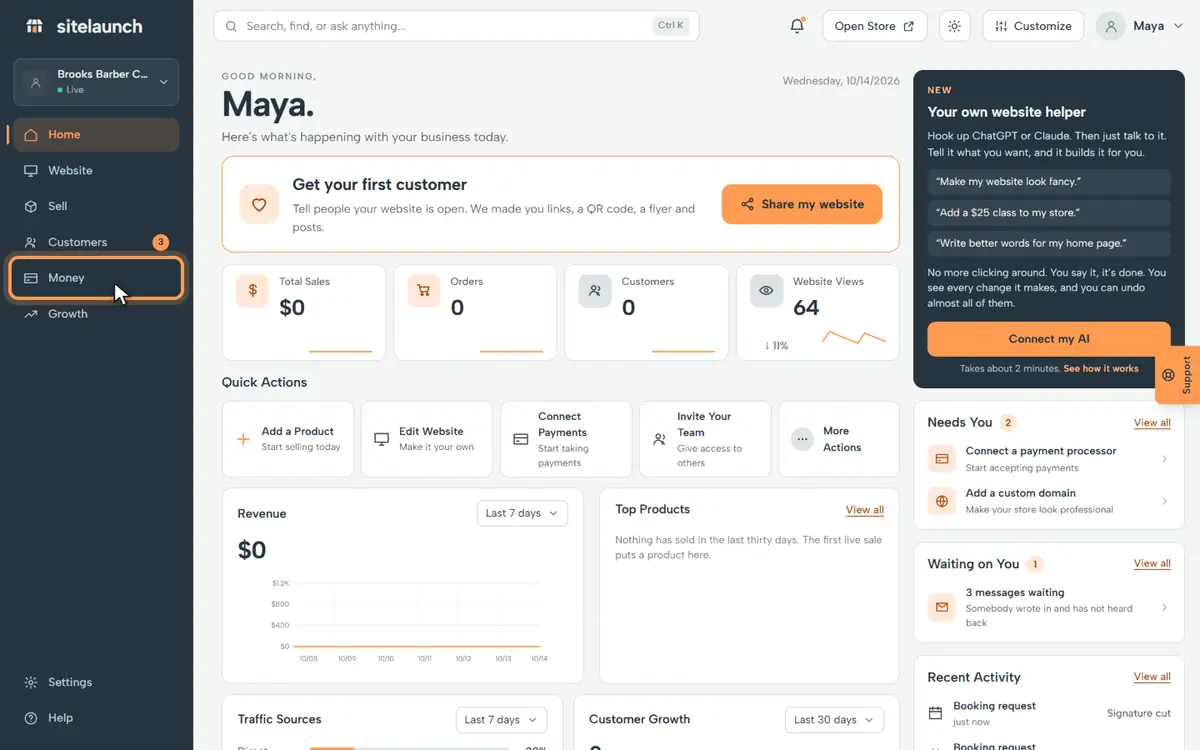
Step 1
Press Money.
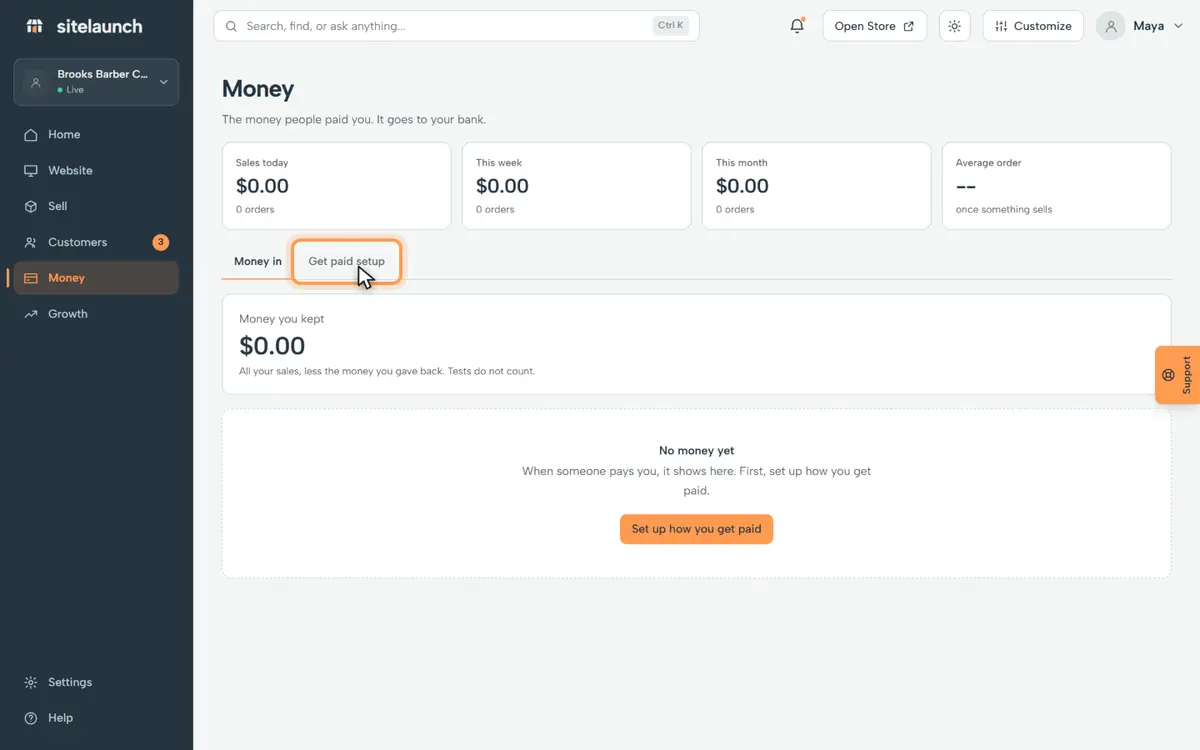
Step 2
Press Get paid setup.
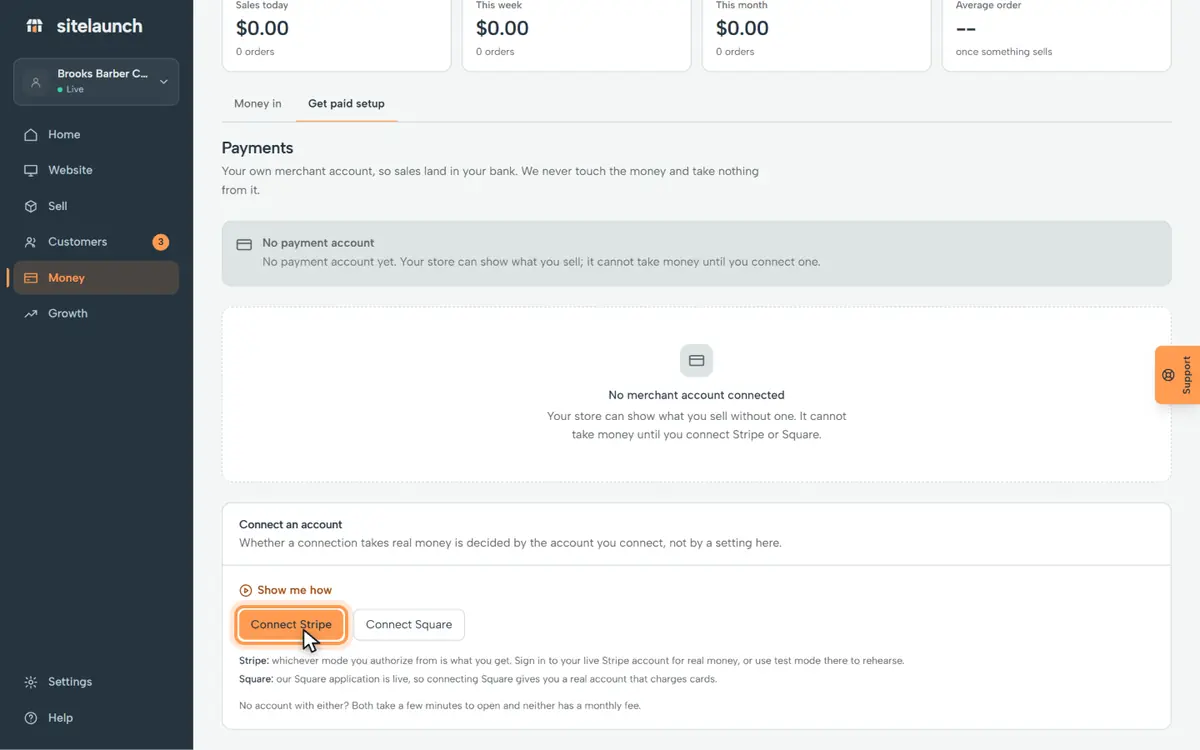
Step 3
Press Connect Stripe.
What happens next, on Stripe's page:
- Sign in, or make a free Stripe account.
- Stripe asks for your ID and your bank.
- Then Stripe sends you back here.
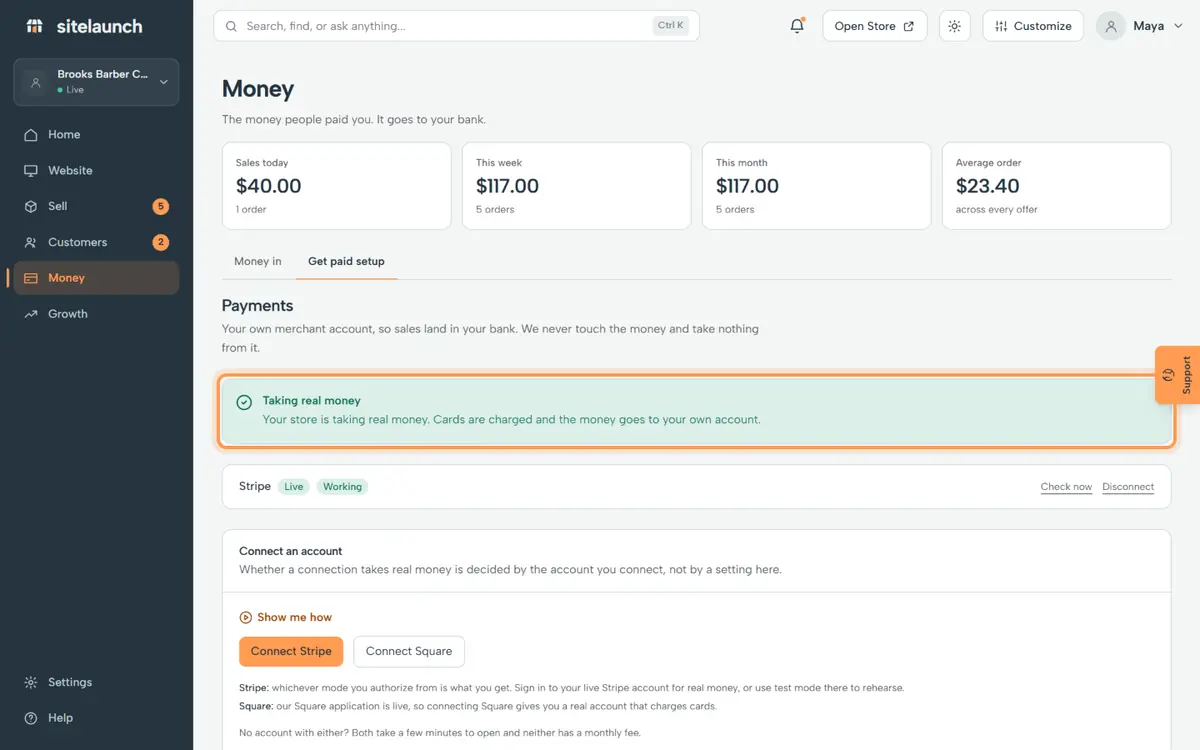
Step 4
Back here, it says Taking real money. People can pay you now.
Try it now
In sitelaunch, press Money, then Get paid setup.
Still stuck? Ask us. Models: this page is Markdown, and every page is in llms.txt.