Help / Running your store
Change colors and fonts
Pick a color set and a font pair. Each one is made to look good together.
Step 1
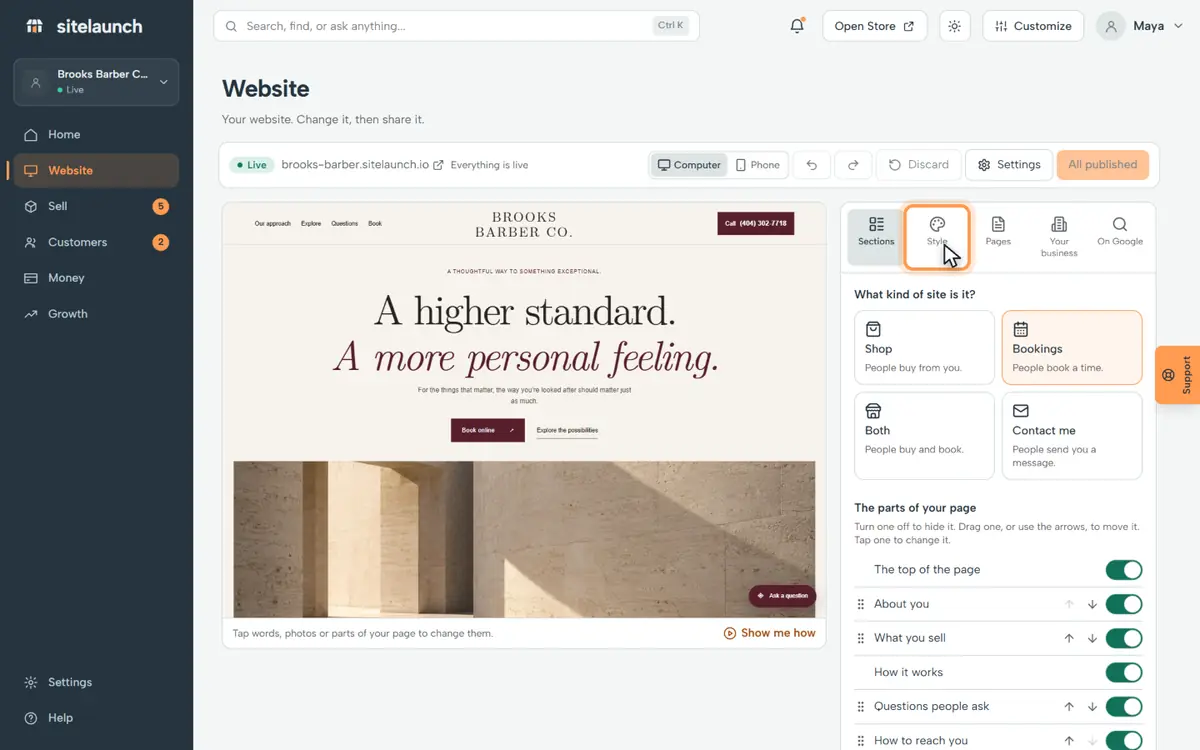
Press Website.

Step 2
Press Style.
Step 3
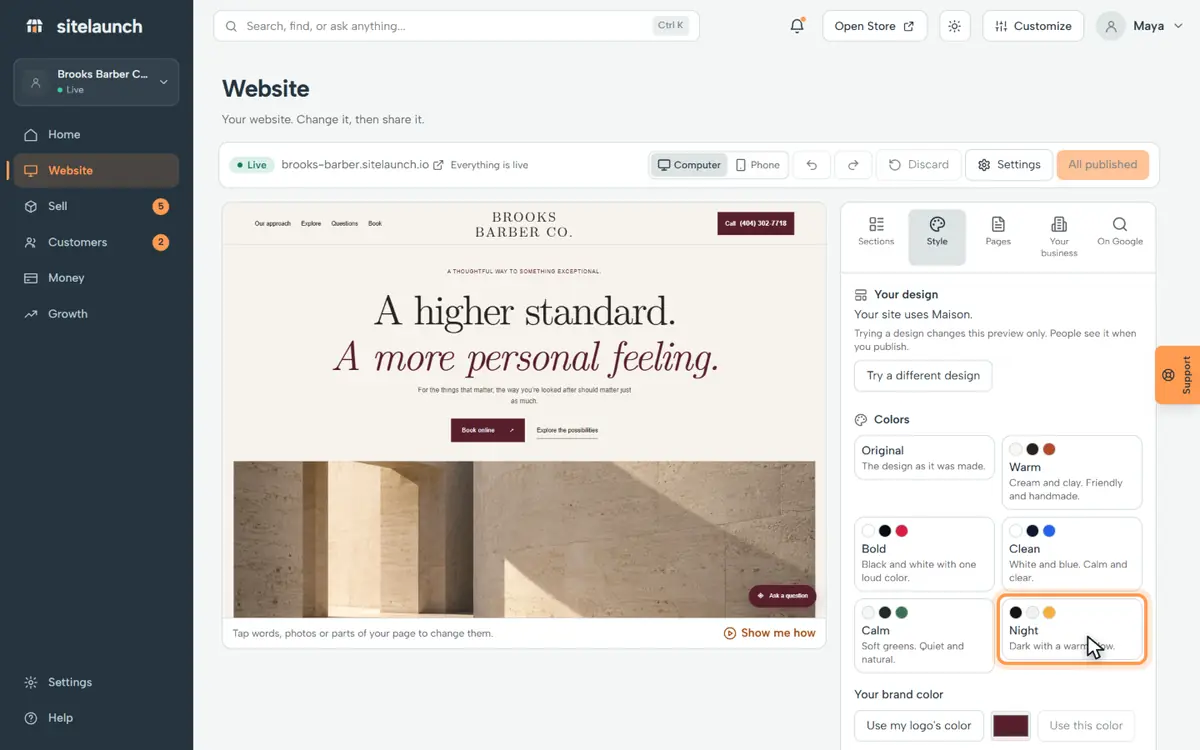
Tap a color set. Night is dark with a warm glow.
Step 4
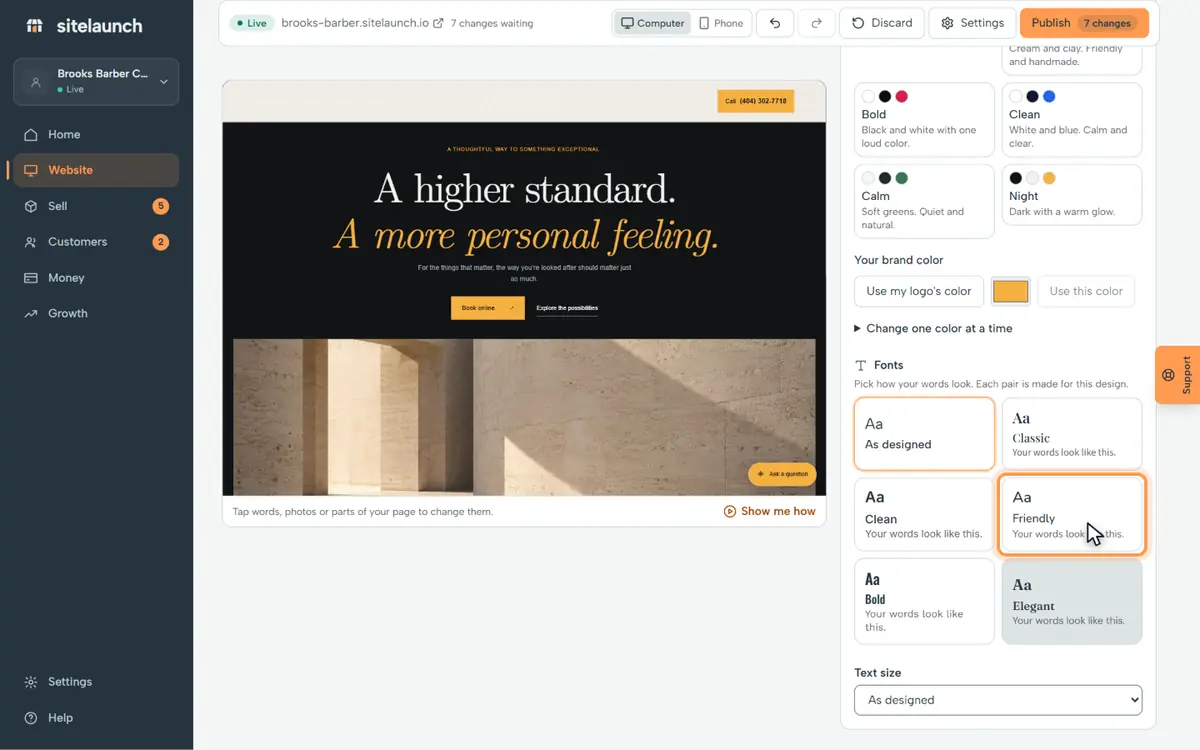
Tap a font pair. Each pair is made to go together.
Step 5
Like it? Press Publish.

Try it now
In sitelaunch, press Website, then Style.
Still stuck? Ask us. Models: this page is Markdown, and every page is in llms.txt.