Help / Running your store
Build a client's site
When a client is ready, pick a design and build their site right here.
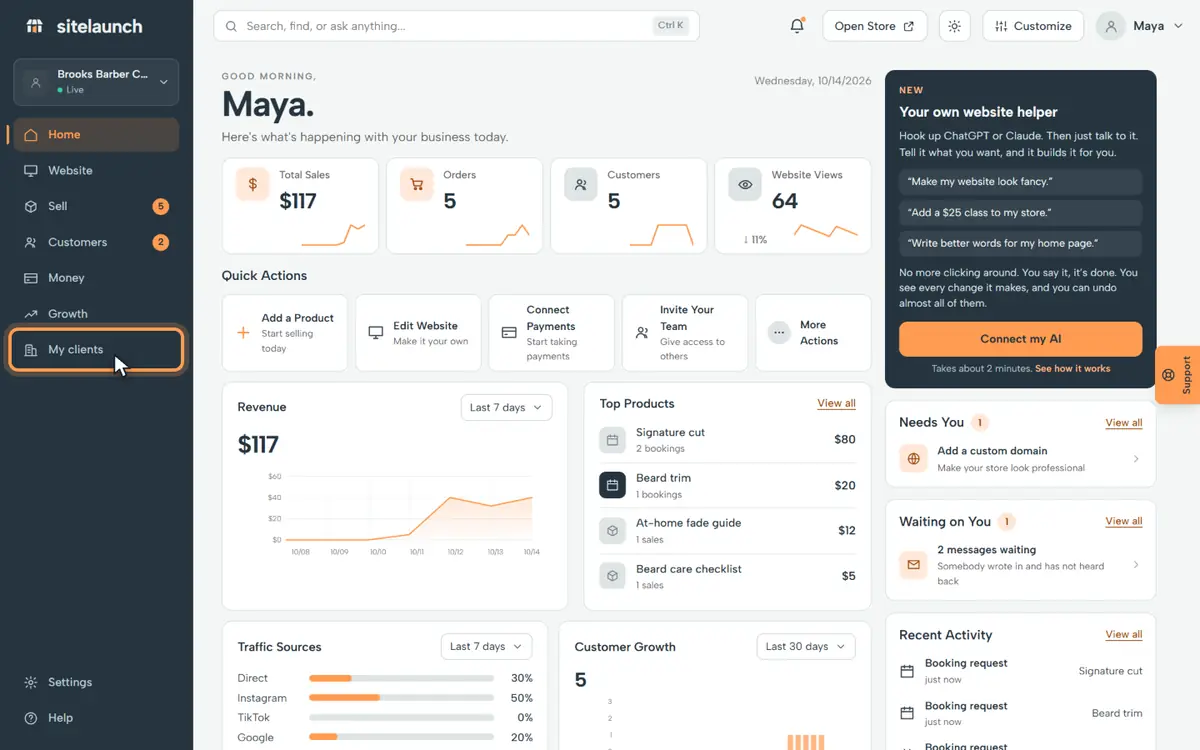
Step 1
Press My clients.
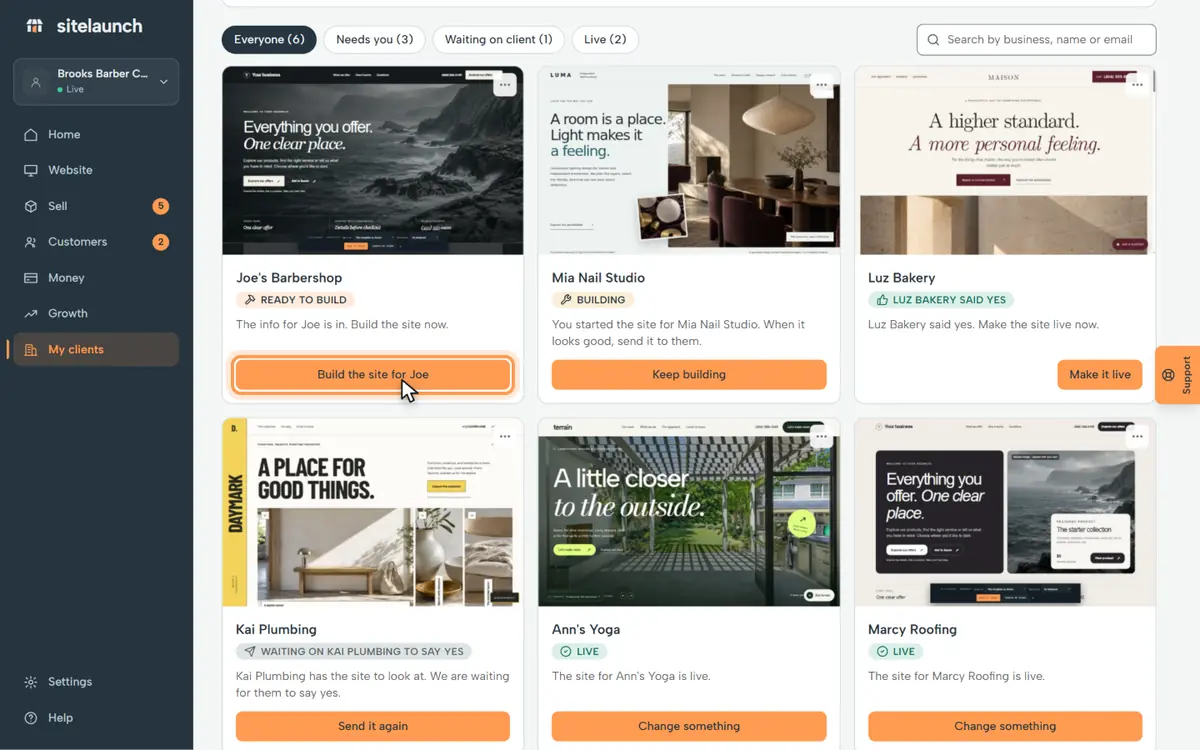
Step 2
Joe is ready. Press Build the site for Joe.
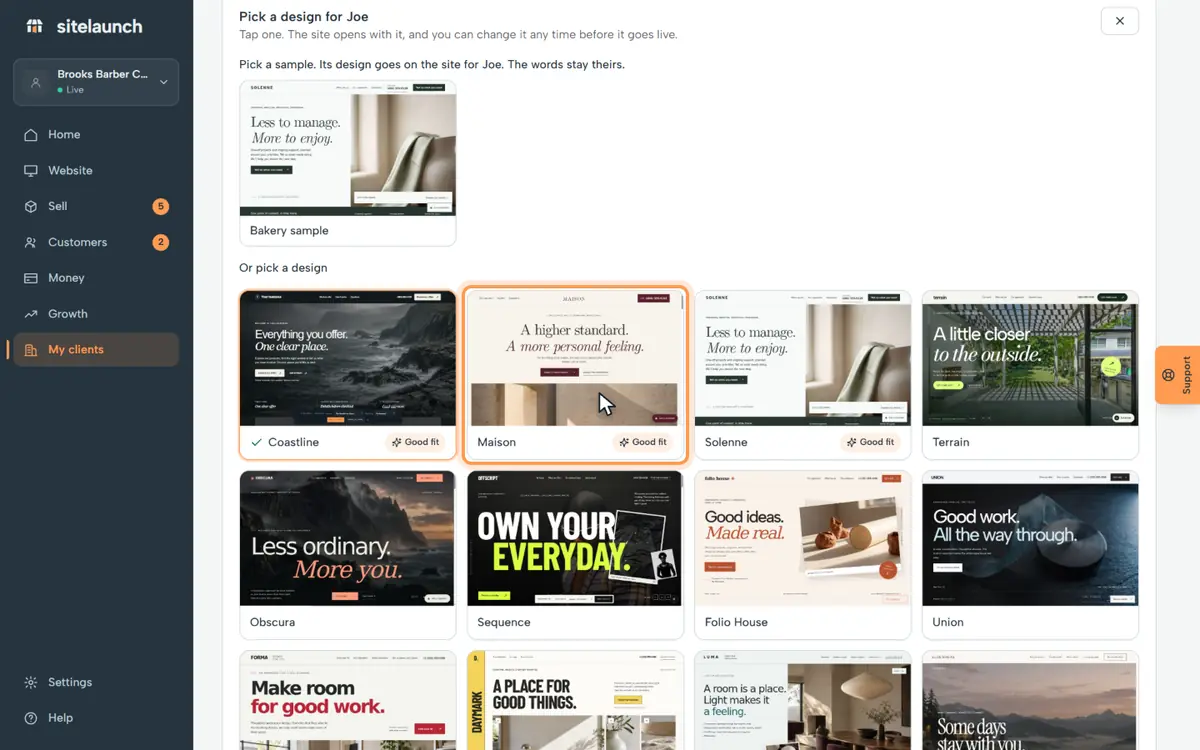
Step 3
Tap a design for Joe.
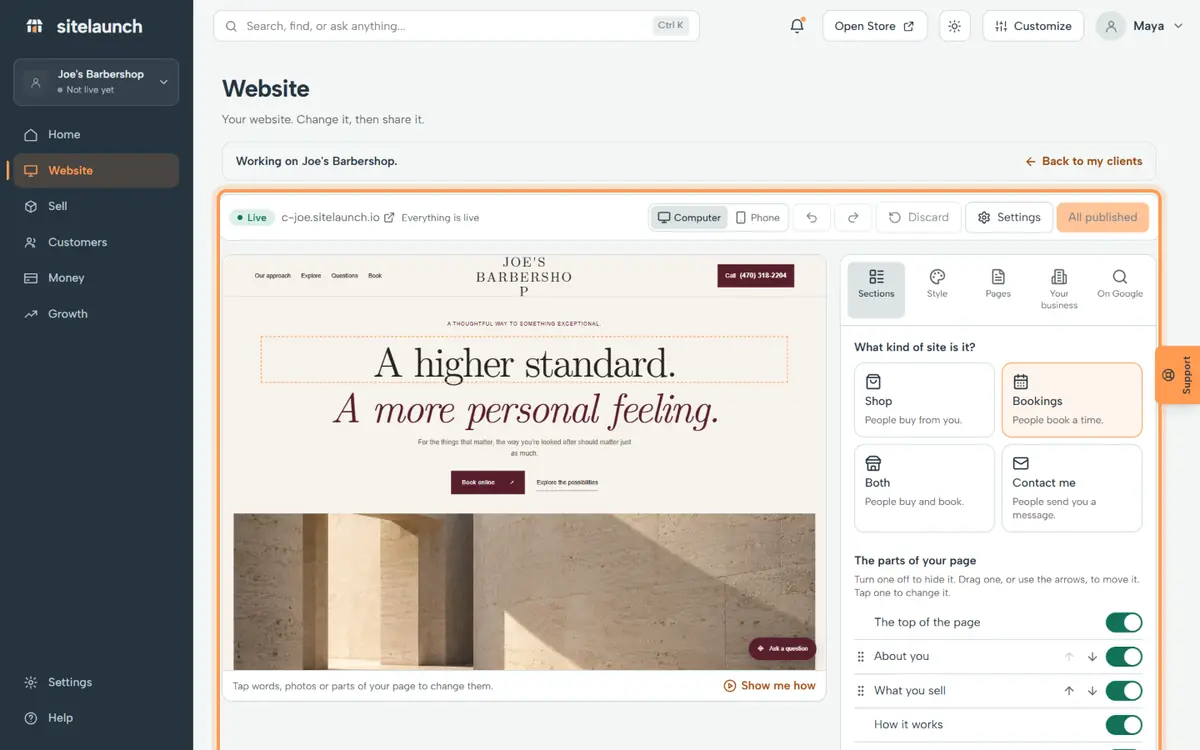
Step 4
Joe's site opens. Change it just like your own. The bar on top takes you back.
Try it now
In sitelaunch, press My clients, then Build the site.
Still stuck? Ask us. Models: this page is Markdown, and every page is in llms.txt.